Since Part 1 we’ve provisioned Foundry with Bicep, locked it down (Part 2), compared models (Part 3) and explored agents and tools (Part 4). In Part 5 we gave the product description generator a strict Pydantic schema and versioned prompts. In Part 6 we shipped it as a FastAPI service on Azure Container Apps, and in Part 7 we grounded it in the PostgreSQL catalog and Azure AI Search. It works, and the demo looks great. But try answering these: Is the candidate prompt better than the one in production? Would GPT-5 mini be worth the switch we looked at in Part 3? Why was yesterday’s p95 latency 9 seconds? If your answer is “I read a few outputs and they looked fine”, you’re doing vibes-based testing, and that stops working as soon as you have more than a handful of products.
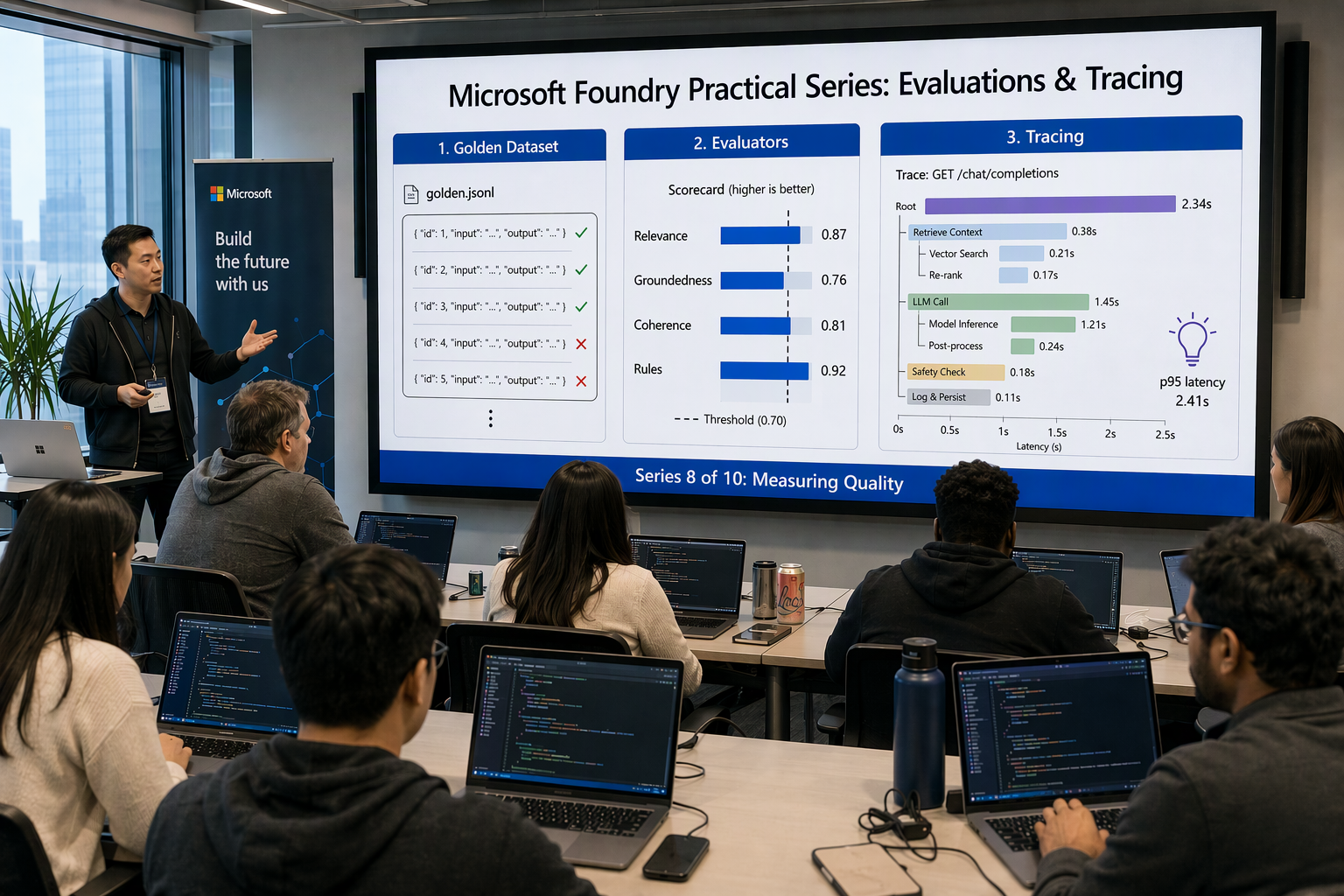
This post replaces vibes with numbers. In this post we will:
- Map the evaluator landscape: quality, RAG, safety, agent and custom evaluators
- Build a golden dataset for product descriptions
- Write custom code evaluators: schema validity, the business rules from Part 5, required attributes, forbidden claims
- Run evaluations locally with
azure-ai-evaluationand log them to the Foundry project - Run evaluations in the cloud with the Foundry SDK and compare prompt versions and models
- Define pass thresholds that become the CI quality gate in Part 10
- Wire up tracing: Bicep for Log Analytics + Application Insights, OpenTelemetry in FastAPI, KQL for tokens, latency and errors
- Evaluate production traffic after deployment
All code samples from this series are available in this repository.
Evaluation vs tracing vs monitoring #
Foundry’s observability story has three parts. Evaluation asks “is the output good?” (stored as evaluation runs in the Foundry project). Tracing asks “what exactly happened in this request?” (OpenTelemetry spans in Application Insights). Monitoring asks “how is the system behaving over time?” (KQL and dashboards on top of those traces).
 1┌──────────────┐   golden set    ┌────────────────────┐   pass/fail   ┌──────────────┐
 2│ Candidate    │ ──────────────► │  Evaluation run    │ ────────────► │ CI gate      │
 3│ prompt/model │                 │  (local or cloud)  │               │ (Part 10)    │
 4└──────────────┘                 └────────────────────┘               └──────┬───────┘
 5                                                                             │ deploy
 6                                                                             ▼
 7┌──────────────┐   OTel spans    ┌────────────────────┐   sample IDs  ┌──────────────┐
 8│ FastAPI app  │ ──────────────► │ Application        │ ────────────► │ Production   │
 9│ (ACA)        │                 │ Insights + KQL     │               │ evaluation   │
10└──────────────┘                 └────────────────────┘               └──────────────┘
The evaluator landscape #
Foundry ships a large catalog of built-in evaluators. Most are AI-assisted: an LLM judge scores the output against a rubric. Some are pure math (F1, BLEU, ROUGE), and the safety evaluators run on a Microsoft-hosted service.
| Category | Evaluators (examples) | Needs | Useful for our generator? |
|---|---|---|---|
| General quality | Coherence, Fluency | query, response + judge model | Yes, cheap sanity check |
| RAG | Groundedness, Relevance, Retrieval, Response Completeness (preview) | context and/or ground_truth | Yes, groundedness is the big one |
| Textual similarity | Similarity, F1, BLEU, ROUGE, METEOR | ground_truth | Meh, copywriting has many valid answers |
| Risk & safety | Violence, Sexual, Self-Harm, Hate/Unfairness, Protected Material, Indirect Attack | Foundry project (no judge deployment) | Yes, as a baseline (deep dive in Part 9) |
| Agent | Intent Resolution (preview), Task Adherence (preview), Tool Call Accuracy, Tool Selection | Tool definitions + tool calls | Only for the agentic version from Part 4 |
| Custom (preview) | Code-based (grade()), prompt-based (judge prompt), endpoint-based | Whatever you define | Yes, this is where domain rules live |
Two practical observations after running these on real catalogs:
- Groundedness beats similarity. A product description can be phrased a thousand ways; comparing to a reference with BLEU/F1 punishes good creative copy. Checking that every claim is supported by the catalog facts (the
context) catches what actually hurts you: invented features. - The most valuable evaluators are boring code. “Is it valid JSON?”, “Is the tagline under 12 words?”, “Does it mention Gore-Tex?” are deterministic, free and never flaky. Use LLM judges for the subjective parts only.
Build a golden dataset #
A golden dataset is a versioned set of inputs (plus expectations) that you run every candidate against. Start small. 30–50 carefully chosen products beat 1,000 random ones. Cover your categories, edge cases (missing attributes, very long names, products with safety-sensitive attributes) and known past failures.
Each line in eval/golden.jsonl has the sku and locale (exactly the ProductRequest the API receives since Part 7), a query with a snapshot of the catalog facts in the same <product> envelope as Part 5 (cloud runs can’t call our catalog, so they need it), the catalog facts as context (the “truth” for groundedness), and the required_attributes that must appear in the title, tagline, description or bullet_points:
{"sku": "TB-PRO-2026", "locale": "en-GB", "query": "Target locale: en-GB\n<product>\n{\"sku\": \"TB-PRO-2026\", \"name\": \"TrailBlazer Pro Hiking Boots\", \"material\": \"Full-grain leather + Gore-Tex lining\", \"sole\": \"Vibram Megagrip\", \"weight\": \"620 g per boot\", \"waterproof\": true}\n</product>", "context": "TrailBlazer Pro Hiking Boots. Upper: full-grain leather. Lining: Gore-Tex. Outsole: Vibram Megagrip. Weight: 620 g per boot. Waterproof: yes. Warranty: 2 years.", "required_attributes": ["Gore-Tex", "Vibram", "620 g"]}
{"sku": "KB-MEC-2026", "locale": "de-DE", "query": "Target locale: de-DE\n<product>\n{\"sku\": \"KB-MEC-2026\", \"name\": \"ProType Mechanical Keyboard\", \"switches\": \"Cherry MX Brown\", \"backlight\": \"RGB\", \"connector\": \"USB-C\", \"hot_swappable\": true}\n</product>", "context": "ProType Mechanical Keyboard. Switches: Cherry MX Brown (tactile). Backlight: per-key RGB. Connection: USB-C, wired only. Hot-swappable: yes.", "required_attributes": ["Cherry MX Brown", "USB-C"]}
{"sku": "KT-KNF-0042", "locale": "en-GB", "query": "Target locale: en-GB\n<product>\n{\"sku\": \"KT-KNF-0042\", \"name\": \"Edge Chef Knife 20cm\", \"steel\": \"VG-10\", \"handle\": \"Pakkawood\"}\n</product>", "context": "Edge Chef Knife, 20 cm blade. Steel: VG-10. Handle: Pakkawood. Not dishwasher safe.", "required_attributes": ["VG-10", "20"]}
Note the knife: the catalog says not dishwasher safe, and that’s exactly the kind of fact a model loves to invert (or quietly put into care_instructions). Seed the dataset with these traps.
Tip: Treat
golden.jsonllike code: keep it in the repo, review changes in merge requests, and never “fix” a failing eval by editing the expectations without a discussion.
Custom code evaluators #
In the azure-ai-evaluation SDK, a custom evaluator is any callable with keyword arguments that returns a dict. Numeric values get averaged into run-level metrics; strings are kept per row for debugging.
eval/evaluators.py:
 1import re
 2
 3from pydantic import ValidationError
 4
 5from app.models import ProductDescription  # the exact model from Part 5
 6from app.rules import check_business_rules  # lengths, bullet count, banned phrases (Part 5)
 7
 8# Legal red lines on top of the brand's BANNED_PHRASES in rules.py
 9FORBIDDEN_CLAIMS = [r"\blifetime warranty\b", r"\bclinically proven\b",
10                    r"\baward[- ]winning\b", r"\bdishwasher safe\b"]
11
12
13class SchemaValidEvaluator:
14    """1.0 if the raw model output validates against ProductDescription."""
15
16    def __call__(self, *, raw_json: str) -> dict:
17        try:
18            ProductDescription.model_validate_json(raw_json)
19            return {"schema_valid": 1.0, "schema_error": ""}
20        except ValidationError as exc:
21            return {"schema_valid": 0.0, "schema_error": exc.errors()[0]["msg"]}
22
23
24class BusinessRulesEvaluator:
25    """Part 5's check_business_rules: SKU match, 3-5 bullets, word/char budgets, banned phrases."""
26
27    def __call__(self, *, raw_json: str, sku: str) -> dict:
28        try:
29            desc = ProductDescription.model_validate_json(raw_json)
30        except ValidationError:
31            return {"rules_ok": 0.0, "problems": "schema invalid"}
32        problems = check_business_rules(desc, {"sku": sku})
33        return {"rules_ok": float(not problems), "problems": "; ".join(problems)}
34
35
36class RequiredAttributesEvaluator:
37    """Share of required attributes mentioned in the description."""
38
39    def __call__(self, *, response: str, required_attributes: list) -> dict:
40        text = response.lower()
41        missing = [a for a in required_attributes if a.lower() not in text]
42        coverage = 1 - len(missing) / len(required_attributes) if required_attributes else 1.0
43        return {"coverage": coverage, "missing": ", ".join(missing)}
44
45
46class ForbiddenClaimsEvaluator:
47    """Marketing and legal red lines: superlatives and claims we can't back up."""
48
49    def __call__(self, *, response: str) -> dict:
50        hits = [p for p in FORBIDDEN_CLAIMS if re.search(p, response, re.IGNORECASE)]
51        return {"no_forbidden_claims": float(not hits), "hits": "; ".join(hits)}
A few gotchas I hit:
- Don’t use
**kwargsin__call__. The SDK inspects the signature to work out which columns are required, and treatskwargsas a missing input. - Return the same keys on every row, including the success path (
"schema_error": ""), so the results table stays rectangular. BusinessRulesEvaluatorreusesrules.pyinstead of re-implementing length checks, so the eval and the app’s runtime checks can never disagree.- The
FORBIDDEN_CLAIMSregex list is a business artifact. Have marketing/legal own it, not the ML engineer.
Run evaluations locally with azure-ai-evaluation #
The local loop is the fastest way to iterate: run your real app code over the golden set, then score the outputs with built-in and custom evaluators. Results can be logged to the Foundry project so the whole team sees them.
1pip install -r requirements.txt azure-ai-evaluation python-dotenv
PROJECT_ENDPOINT=https://foundry-demo-ai.services.ai.azure.com/api/projects/foundry-demo-project
AZURE_OPENAI_ENDPOINT=https://foundry-demo-ai.services.ai.azure.com
JUDGE_DEPLOYMENT=gpt-4.1
The judge model #
AI-assisted evaluators need a judge deployment. Two rules:
- Use a stronger (or at least different) model than the one you’re grading. Grading GPT-4.1 mini with GPT-4.1 mini tends to be generous. I use GPT-4.1 as the judge (deployed in Part 4).
- Pin the judge. If the judge model changes, your scores shift and historical comparisons become meaningless.
The model configuration has no api_key. When the key is omitted, the SDK falls back to Entra ID with DefaultAzureCredential, so the same az login or managed identity from earlier parts works. The identity needs data-plane access to the Foundry resource (Foundry User role, formerly Azure AI User).
eval/run_local.py #
evaluate() can call a target function per row, but our app code is async since Part 6 and its client lives in an event loop. It’s simpler to run the real generate_description from Part 7 (catalog tool, retrieval and all) over the golden set ourselves, write the outputs next to the inputs, and hand that file to evaluate():
 1import asyncio
 2import json
 3import os
 4import sys
 5from pathlib import Path
 6
 7from azure.ai.evaluation import (AzureOpenAIModelConfiguration, CoherenceEvaluator,
 8                                  GroundednessEvaluator, RelevanceEvaluator, ViolenceEvaluator, evaluate)
 9from azure.ai.projects.aio import AIProjectClient
10from azure.identity import DefaultAzureCredential
11from azure.identity.aio import DefaultAzureCredential as AsyncDefaultAzureCredential
12from dotenv import load_dotenv
13
14from app.generator import generate_description
15from app.models import ProductRequest
16from app.prompts import load_prompt
17from eval.evaluators import (BusinessRulesEvaluator, ForbiddenClaimsEvaluator,
18                             RequiredAttributesEvaluator, SchemaValidEvaluator)
19
20load_dotenv()
21
22PROJECT_ENDPOINT = os.environ["PROJECT_ENDPOINT"]
23GOLDEN = Path("eval/golden.jsonl")
24
25judge = AzureOpenAIModelConfiguration(
26    azure_endpoint=os.environ["AZURE_OPENAI_ENDPOINT"],
27    azure_deployment=os.environ["JUDGE_DEPLOYMENT"],
28    api_version="2024-10-21",
29)
30
31
32async def generate_outputs(model: str, prompt_name: str, out: Path) -> str:
33    """Run the production pipeline over the golden set; returns the prompt's content hash."""
34    prompt = load_prompt(prompt_name)
35    rows = [json.loads(line) for line in GOLDEN.read_text().splitlines() if line.strip()]
36    async with AsyncDefaultAzureCredential() as credential, AIProjectClient(
37        endpoint=PROJECT_ENDPOINT, credential=credential
38    ) as project:
39        openai = project.get_openai_client()
40        for row in rows:
41            req = ProductRequest(sku=row["sku"], locale=row["locale"])
42            try:
43                desc, _usage = await generate_description(openai, req, prompt, model)
44                row["raw_json"] = desc.model_dump_json()
45                row["response"] = "\n".join([desc.title, desc.tagline, desc.description, *desc.bullet_points])
46            except Exception as exc:  # a failed generation is a failed row, not a crashed run
47                row["raw_json"], row["response"] = "", f"generation failed: {exc}"
48    out.write_text("\n".join(json.dumps(r, ensure_ascii=False) for r in rows), encoding="utf-8")
49    return prompt.version
50
51
52def run(model: str, prompt_name: str) -> dict:
53    label = f"{model}-{prompt_name}"
54    outputs = Path(f"eval/results/{label}.outputs.jsonl")
55    outputs.parent.mkdir(exist_ok=True)
56    prompt_version = asyncio.run(generate_outputs(model, prompt_name, outputs))
57
58    return evaluate(
59        evaluation_name=f"{label}@{prompt_version}",
60        data=str(outputs),
61        evaluators={
62            "groundedness": GroundednessEvaluator(judge, threshold=4),
63            "relevance": RelevanceEvaluator(judge, threshold=4),
64            "coherence": CoherenceEvaluator(judge),
65            "violence": ViolenceEvaluator(credential=DefaultAzureCredential(), azure_ai_project=PROJECT_ENDPOINT),
66            "schema": SchemaValidEvaluator(),
67            "rules": BusinessRulesEvaluator(),
68            "mentions": RequiredAttributesEvaluator(),
69            "claims": ForbiddenClaimsEvaluator(),
70        },
71        # One mapping for all evaluators; each picks only the inputs it accepts
72        evaluator_config={
73            "default": {
74                "column_mapping": {
75                    "query": "${data.query}",
76                    "context": "${data.context}",
77                    "sku": "${data.sku}",
78                    "required_attributes": "${data.required_attributes}",
79                    "response": "${data.response}",
80                    "raw_json": "${data.raw_json}",
81                }
82            }
83        },
84        azure_ai_project=PROJECT_ENDPOINT,  # log the run to the Foundry project
85        output_path=f"eval/results/{label}.json",
86        tags={"model": model, "prompt": prompt_name, "prompt_version": prompt_version},
87    )
88
89
90if __name__ == "__main__":
91    model, prompt_name = sys.argv[1], sys.argv[2]
92    result = run(model, prompt_name)
93    for name, value in sorted(result["metrics"].items()):
94        print(f"{name:45} {value}")
95    print("Foundry portal:", result.get("studio_url"))
The candidate prompt lives in its own folder, app/prompts/product-description-v2/ (system.md + examples.json), so the current and candidate prompts can be evaluated side by side:
1python -m eval.run_local gpt-4.1-mini product-description
2python -m eval.run_local gpt-4.1-mini product-description-v2
3python -m eval.run_local gpt-5-mini product-description-v2
Every run is labelled with the folder name and the content hash (Prompt.version), e.g. gpt-4.1-mini-product-description-v2@a71d04b9. Edit one word in system.md and the hash changes, so you can’t accidentally compare two different prompts under the same name.
Reading the output #
Each AI-assisted evaluator returns a score on a 1–5 scale plus a *_result of pass/fail against its threshold (default 3; I raised groundedness and relevance to 4 because “3 — partially grounded” is not acceptable on a product page). Metrics come back as <evaluator>.<key>:
| Metric key | Meaning |
|---|---|
groundedness.groundedness | Mean groundedness score (1–5) |
groundedness.binary_aggregate | Pass rate against the threshold (0–1) |
violence.violence_defect_rate | Share of rows flagged above the safety threshold |
schema.schema_valid | Share of outputs that validate against the schema |
rules.rules_ok | Share of outputs passing check_business_rules |
mentions.coverage | Average required-attribute coverage |
claims.no_forbidden_claims | Share of outputs with zero forbidden claims |
Every row also carries the judge’s reason (outputs.groundedness.groundedness_reason). Read the reasons for failing rows. That’s where you find out the model claimed the knife is dishwasher safe.
Comparing prompt versions and models #
Here’s what one of my runs over a 40-product golden set looked like, with current = product-description@3f9c2a1e and v2 = product-description-v2@a71d04b9. These are example numbers to show the shape of the decision. Run it on your own catalog.
| Metric | gpt-4.1-mini + current | gpt-4.1-mini + v2 | gpt-5-mini + v2 |
|---|---|---|---|
| Groundedness pass rate | 0.82 | 0.95 | 0.97 |
| Relevance pass rate | 0.93 | 0.95 | 0.95 |
| Coherence (mean, 1–5) | 4.4 | 4.5 | 4.6 |
| Schema valid | 1.00 | 1.00 | 1.00 |
Business rules (rules.py) | 0.78 | 0.98 | 0.95 |
| Required attribute coverage | 0.88 | 0.97 | 0.98 |
| No forbidden claims | 0.90 | 1.00 | 1.00 |
| Violence defect rate | 0.00 | 0.00 | 0.00 |
| p50 latency per item | ~1.6 s | ~1.7 s | ~3.9 s |
How I read this:
- The prompt change mattered more than the model change. The candidate prompt (a stricter “only use facts inside
<product>” rule, a second few-shot example withcare_instructions: null, and the word budgets repeated in the output contract) fixed most groundedness and rule failures. - GPT-5 mini is marginally better but ~2× slower in this workload. For a batch catalog job, maybe. For the synchronous
POST /descriptionsendpoint, it’s not worth it. This lines up with the routing logic from Part 3. - Never ship on one metric. The current prompt had perfect schema validity and still produced 10% of descriptions with claims legal would reject.
Run each configuration at least twice. LLM outputs and LLM judges are both non-deterministic. If two runs of the same config differ by 3 points, a 2-point “improvement” is noise.
Running evaluations in the cloud #
Local runs are great for iteration, but they depend on your laptop and your patience. Cloud evaluation runs the same idea as a managed job in the Foundry project. In the v2 SDK it’s exposed through the OpenAI-compatible Evals API on project.get_openai_client(): you create an eval (data schema + testing criteria) once, then start runs against it.
The neat part for our use case is the model target: the service sends each golden-set query to a deployment using a message template, so a prompt is just a developer message plus few-shot turns and a model is just a target. Same eval, multiple runs, apples-to-apples comparison in the portal.
eval/run_cloud.py #
 1import json
 2import os
 3import time
 4
 5from azure.identity import DefaultAzureCredential
 6from azure.ai.projects import AIProjectClient
 7from azure.ai.projects.models import TestingCriterionAzureAIEvaluator
 8from openai.types.eval_create_params import DataSourceConfigCustom
 9
10from app.prompts import Prompt, load_prompt
11
12PROJECT_ENDPOINT = os.environ["PROJECT_ENDPOINT"]
13JUDGE = os.environ["JUDGE_DEPLOYMENT"]
14
15project = AIProjectClient(endpoint=PROJECT_ENDPOINT, credential=DefaultAzureCredential())
16openai = project.get_openai_client()
17
18# 1. Upload the golden set as a versioned dataset
19dataset = project.datasets.upload_file(name="product-desc-golden", version="3", file_path="eval/golden.jsonl")
20
21# 2. Define the eval: schema of each row + evaluators
22data_source_config = DataSourceConfigCustom(
23    type="custom",
24    item_schema={"type": "object", "required": ["query", "context"],
25                 "properties": {"query": {"type": "string"}, "context": {"type": "string"}}},
26    include_sample_schema=True,  # exposes {{sample.output_text}} from the target
27)
28
29
30def criterion(name: str, mapping: dict, **params) -> TestingCriterionAzureAIEvaluator:
31    return TestingCriterionAzureAIEvaluator(
32        type="azure_ai_evaluator",
33        name=name,
34        evaluator_name=f"builtin.{name}",
35        initialization_parameters=params or None,
36        data_mapping=mapping,
37    )
38
39
40qr = {"query": "{{item.query}}", "response": "{{sample.output_text}}"}
41testing_criteria = [
42    criterion("groundedness", {**qr, "context": "{{item.context}}"}, model=JUDGE, threshold=4),
43    criterion("relevance", qr, model=JUDGE, threshold=4),
44    criterion("coherence", qr, model=JUDGE),
45    criterion("violence", qr),  # safety evaluators don't need a judge deployment
46]
47
48eval_object = openai.evals.create(name="product-description-quality",
49                                  data_source_config=data_source_config, testing_criteria=testing_criteria)
50
51
52# 3. One run per (model, prompt): system prompt + Part 5 few-shot turns + the golden query
53def message(role: str, text: str) -> dict:
54    kind = "output_text" if role == "assistant" else "input_text"
55    return {"type": "message", "role": role, "content": {"type": kind, "text": text}}
56
57
58def prompt_messages(prompt: Prompt) -> list[dict]:
59    messages = [message("developer", prompt.instructions)]
60    for ex in prompt.examples:
61        product = json.dumps(ex["product"], ensure_ascii=False, indent=2)
62        messages.append(message("user", f"Target locale: {ex['locale']}\n<product>\n{product}\n</product>"))
63        # indent=2 keeps closing braces on separate lines, so no "}}" looks like a template tag
64        messages.append(message("assistant", json.dumps(ex["output"], ensure_ascii=False, indent=2)))
65    return messages + [message("user", "{{item.query}}")]
66
67
68def start_run(model: str, prompt_name: str):
69    prompt = load_prompt(prompt_name)
70    return openai.evals.runs.create(
71        eval_id=eval_object.id,
72        name=f"{model}-{prompt_name}@{prompt.version}",
73        metadata={"model": model, "prompt": prompt_name, "prompt_version": prompt.version},
74        data_source={
75            "type": "azure_ai_target_completions",
76            "source": {"type": "file_id", "id": dataset.id},
77            "input_messages": {"type": "template", "template": prompt_messages(prompt)},
78            "target": {"type": "azure_ai_model", "model": model},
79        },
80    )
81
82
83runs = [
84    start_run("gpt-4.1-mini", "product-description"),
85    start_run("gpt-4.1-mini", "product-description-v2"),
86    start_run("gpt-5-mini", "product-description-v2"),
87]
88
89# 4. Poll and summarise
90for run in runs:
91    while run.status not in ("completed", "failed", "canceled"):
92        time.sleep(10)
93        run = openai.evals.runs.retrieve(run_id=run.id, eval_id=eval_object.id)
94
95    print(f"\n{run.name}: {run.status}  {run.report_url}")
96    for r in run.per_testing_criteria_results:
97        total = r.passed + r.failed
98        print(f"  {r.testing_criteria:15} pass rate {r.passed / total:.2f}")
Each output item contains the score, a pass/fail label, the threshold and the judge’s reason, and the report_url opens the side-by-side comparison in the Foundry portal. One difference from the local run: the judge sees the model’s raw output, and the few-shot turns make the model answer in ProductDescription-shaped JSON, so that’s what gets scored (without the catalog tool and retrieval, too). Groundedness doesn’t care, but fluency and coherence scores come out slightly lower, so compare cloud runs with cloud runs only.
Custom evaluators in the cloud (preview) #
The deterministic checks can run in the cloud too. Code-based custom evaluators are a grade(sample, item) function that returns a float between 0.0 and 1.0. They run in a sandbox with no network access, and pydantic and jsonschema are preinstalled. For a model target, the generated text is in item["sample"]["output_text"]. You register the function once with project.beta.evaluators.create_version(...) and then reference it in testing_criteria by name, just like a built-in. Port ForbiddenClaimsEvaluator first: it’s pure regex and translates one-to-one. check_business_rules only needs pydantic, so it can be pasted into a grade() function too.
Local vs cloud: when to use which #
| Aspect | Local evaluate() | Cloud evaluation (Evals API) |
|---|---|---|
| Target | Your real app code (async included) | Deployed model, Foundry agent, or stored responses/traces |
| Custom evaluators | Any Python, any package, network allowed | Sandboxed grade() (preview), prompt- or endpoint-based |
| Compute | Your machine / CI runner | Managed by Foundry |
| Results | JSON file + optionally logged to the project | Stored in the project, with a portal report |
| Best for | Inner loop, testing full app logic (RAG, tools) | Model/prompt comparisons, large datasets, scheduled runs |
My rule: local while developing, cloud for comparisons and anything scheduled. If your app does retrieval and function calling (it does since Part 7), the local target is the only one that exercises the whole pipeline.
Defining pass thresholds #
A metric without a threshold is a dashboard. A metric with a threshold is a gate. Write them down next to the dataset, in eval/thresholds.json:
 1{
 2  "groundedness.binary_aggregate": { "min": 0.95 },
 3  "relevance.binary_aggregate":    { "min": 0.90 },
 4  "coherence.binary_aggregate":    { "min": 0.95 },
 5  "schema.schema_valid":           { "min": 1.0 },
 6  "rules.rules_ok":                { "min": 0.95 },
 7  "mentions.coverage":             { "min": 0.95 },
 8  "claims.no_forbidden_claims":    { "min": 1.0 },
 9  "violence.violence_defect_rate": { "max": 0.0 }
10}
And a tiny checker that turns a results file into an exit code. Part 10 will run this as a GitLab CI job:
 1# eval/check_thresholds.py
 2import json
 3import sys
 4
 5results = json.load(open(sys.argv[1]))["metrics"]
 6thresholds = json.load(open("eval/thresholds.json"))
 7
 8failures = []
 9for metric, rule in thresholds.items():
10    value = results.get(metric)
11    if value is None:
12        failures.append(f"{metric}: missing from results")
13    elif "min" in rule and value < rule["min"]:
14        failures.append(f"{metric}: {value:.2f} < {rule['min']}")
15    elif "max" in rule and value > rule["max"]:
16        failures.append(f"{metric}: {value:.2f} > {rule['max']}")
17
18print("\n".join(failures) or "All quality gates passed ✅")
19sys.exit(1 if failures else 0)
1python -m eval.check_thresholds eval/results/gpt-4.1-mini-product-description-v2.json
How to pick the numbers: deterministic hard rules (schema, forbidden claims) get 1.0 and safety defect rates get 0.0, with no exceptions. LLM-judge pass rates get your current baseline minus a small margin. Judges are noisy, so gate on regressions, not perfection. Avoid gating on mean scores, because a good mean can hide a few terrible outputs.
Tracing: infrastructure first #
Evaluations tell you about the golden set. Tracing tells you about every real request. Foundry stores traces in an Application Insights resource connected to the project, using the OpenTelemetry GenAI semantic conventions. You can click “Connect” in the portal, but we do everything as code in this series.
observability.bicep #
 1param foundryName string = 'foundry-demo-ai'
 2param projectName string = 'foundry-demo-project'
 3param location string = resourceGroup().location
 4param baseName string = 'foundry-demo'
 5
 6// Log Analytics Reader + Privileged Monitoring Data Reader (needed to read GenAI content)
 7var traceReaderRoles = [
 8  '73c42c96-874c-492b-b04d-ab87d138a893'
 9  'dbc9c667-e97f-4491-aee6-90b9cf960190'
10]
11
12resource foundry 'Microsoft.CognitiveServices/accounts@2025-04-01-preview' existing = {
13  name: foundryName
14}
15
16resource project 'Microsoft.CognitiveServices/accounts/projects@2025-04-01-preview' existing = {
17  parent: foundry
18  name: projectName
19}
20
21// The Log Analytics workspace created with the Container Apps environment in Part 6
22resource logAnalytics 'Microsoft.OperationalInsights/workspaces@2023-09-01' existing = {
23  name: '${baseName}-logs'
24}
25
26// Workspace-based Application Insights
27resource appInsights 'Microsoft.Insights/components@2020-02-02' = {
28  name: '${baseName}-appi'
29  location: location
30  kind: 'web'
31  properties: {
32    Application_Type: 'web'
33    WorkspaceResourceId: logAnalytics.id
34  }
35}
36
37// Connect Application Insights to the project
38resource projectConnection 'Microsoft.CognitiveServices/accounts/projects/connections@2025-04-01-preview' = {
39  parent: project
40  name: appInsights.name
41  properties: {
42    category: 'AppInsights'
43    target: appInsights.id
44    authType: 'ApiKey'
45    isSharedToAll: true
46    credentials: { key: appInsights.properties.ConnectionString }
47    metadata: { ApiType: 'Azure', ResourceId: appInsights.id }
48  }
49}
50
51// Let the project's managed identity read traces (used by trace/production evaluation)
52resource traceReaders 'Microsoft.Authorization/roleAssignments@2022-04-01' = [
53  for roleId in traceReaderRoles: {
54    scope: appInsights
55    name: guid(project.id, roleId, appInsights.id)
56    properties: {
57      principalId: project.identity.principalId
58      roleDefinitionId: subscriptionResourceId('Microsoft.Authorization/roleDefinitions', roleId)
59      principalType: 'ServicePrincipal'
60    }
61  }
62]
63
64output appInsightsName string = appInsights.name
65output appInsightsId string = appInsights.id
A few notes:
- Only one Application Insights resource can be connected to a project at a time. One per environment (dev/test/prod) is the sane layout. Don’t mix eval noise with production telemetry. Microsoft’s foundry-samples also create the same connection on the account (
Microsoft.CognitiveServices/accounts/connections) if all projects should share one instance. - The project needs a system-assigned identity for the role assignments. If your project from Part 1 doesn’t have one yet, add
identity: { type: 'SystemAssigned' }to theMicrosoft.CognitiveServices/accounts/projectsresource. - Humans who browse traces need Log Analytics Reader on the resource too (plus Privileged Monitoring Data Reader if the tables are protected). Assign these to an Entra group, as we did for the Foundry roles in Part 2.
Pass the connection string to the Container App #
In foundry-demo-api, the Container App from Part 6, add the connection string as a secret and the tracing switches as plain environment variables:
 1// appInsights: an `existing` reference to the component from observability.bicep
 2// containerApp: properties.configuration.secrets
 3secrets: [
 4  { name: 'appinsights-connection-string', value: appInsights.properties.ConnectionString }
 5]
 6
 7// containerApp: properties.template.containers[0].env
 8env: [
 9  { name: 'APPLICATIONINSIGHTS_CONNECTION_STRING', secretRef: 'appinsights-connection-string' }
10  { name: 'OTEL_SERVICE_NAME', value: 'product-descriptions-api' }
11  { name: 'AZURE_EXPERIMENTAL_ENABLE_GENAI_TRACING', value: 'true' }
12  { name: 'OTEL_INSTRUMENTATION_GENAI_CAPTURE_MESSAGE_CONTENT', value: 'false' }
13]
There’s no prompt version variable: the version is the content hash of the prompt files baked into the image.
Keyless note: the App Insights connection string is an ingestion identifier, not a data-plane secret for your models. If your policy requires Entra-only ingestion, Azure Monitor supports it: disable local auth on the component, grant the app’s managed identity Monitoring Metrics Publisher, and pass
credential=toconfigure_azure_monitor(). Test it in dev first, because Foundry’s own server-side trace ingestion has a separate (preview) Entra setup.
Instrumenting the FastAPI app #
The Python packages:
1pip install azure-monitor-opentelemetry azure-core-tracing-opentelemetry opentelemetry-instrumentation-psycopg
| Package | What it gives you |
|---|---|
azure-monitor-opentelemetry | One-call OpenTelemetry distro: exporter + auto-instrumentation for FastAPI, requests, Azure SDKs |
azure-ai-projects (.telemetry) | AIProjectInstrumentor, which emits GenAI spans for Responses API calls made via project.get_openai_client() |
azure-core-tracing-opentelemetry | Bridges Azure SDK spans (AI Search, Identity, etc.) into OpenTelemetry |
opentelemetry-instrumentation-psycopg | Spans for the async psycopg 3 pool from Part 7 (the distro only bundles psycopg2) |
Preview: the GenAI instrumentation in
azure-ai-projectsis an experimental feature. It only activates whenAZURE_EXPERIMENTAL_ENABLE_GENAI_TRACING=true, and span attributes may still change. Pin your package versions and treat KQL queries that rely on them as code you’ll occasionally update. Calls made through a plainopenaiclient (e.g. embeddings) can be covered by the communityopentelemetry-instrumentation-openai-v2package.
app/telemetry.py #
 1import os
 2
 3from azure.ai.projects.telemetry import AIProjectInstrumentor
 4from azure.monitor.opentelemetry import configure_azure_monitor
 5from opentelemetry.instrumentation.psycopg import PsycopgInstrumentor
 6
 7
 8def setup_telemetry() -> None:
 9    """Call once at import time, BEFORE the lifespan creates the OpenAI client."""
10    os.environ.setdefault("AZURE_EXPERIMENTAL_ENABLE_GENAI_TRACING", "true")
11    if not os.environ.get("APPLICATIONINSIGHTS_CONNECTION_STRING"):
12        return  # e.g. unit tests: no exporter, no spans
13
14    configure_azure_monitor()  # reads APPLICATIONINSIGHTS_CONNECTION_STRING
15    PsycopgInstrumentor().instrument()
16    # Content recording follows OTEL_INSTRUMENTATION_GENAI_CAPTURE_MESSAGE_CONTENT (default: off)
17    AIProjectInstrumentor().instrument()
In Azure, Container Apps injects the connection string. Locally, put it in .env (az monitor app-insights component show -g rg-foundry-demo -a foundry-demo-appi --query connectionString -o tsv, or project.telemetry.get_application_insights_connection_string()) and start the app with uvicorn app.main:app --env-file .env, since pydantic-settings doesn’t export .env to os.environ.
app/main.py (the relevant parts) #
The async routes from Part 6 stay as they are. We call setup_telemetry() before anything creates a client, and wrap the Part 7 generate_description call in a custom span with our business attributes:
 1import asyncio
 2from typing import Annotated
 3
 4from fastapi import Depends, FastAPI
 5from openai import AsyncOpenAI
 6from opentelemetry import trace
 7
 8from app.telemetry import setup_telemetry
 9
10setup_telemetry()  # 1. telemetry first, so the lifespan's OpenAI client gets instrumented
11
12from app.config import Settings, get_settings
13from app.foundry import get_limiter, get_openai, get_prompt, lifespan
14from app.generator import generate_description
15from app.models import GroundedProductDescription, ProductRequest
16from app.prompts import Prompt
17
18app = FastAPI(title="Product Description API", version="1.0.0", lifespan=lifespan)
19tracer = trace.get_tracer("product-descriptions")
20
21
22@app.post("/descriptions", response_model=GroundedProductDescription)
23async def create_description(
24    req: ProductRequest,
25    openai: Annotated[AsyncOpenAI, Depends(get_openai)],
26    prompt: Annotated[Prompt, Depends(get_prompt)],
27    limiter: Annotated[asyncio.Semaphore, Depends(get_limiter)],
28    settings: Annotated[Settings, Depends(get_settings)],
29) -> GroundedProductDescription:
30    with tracer.start_as_current_span("generate_description") as span:
31        span.set_attribute("product.sku", req.sku)
32        span.set_attribute("product.locale", req.locale)
33        span.set_attribute("app.prompt_version", prompt.version)
34        span.set_attribute("app.model_deployment", settings.model_name)
35
36        async with limiter:
37            desc, usage = await generate_description(openai, req, prompt, settings.model_name)
38
39        span.set_attribute("app.sources", len(desc.sources))
40        span.set_attribute("app.total_tokens", usage.total_tokens)
41        return desc
No try/except needed: start_as_current_span records an escaping exception and sets the span status to ERROR, and the exception handlers from Part 6 still turn it into a 429 or 502.
The resulting trace for one request:
1POST /descriptions                          requests      (FastAPI auto-instrumentation)
2└── generate_description                    dependencies  (our span: product.sku, app.prompt_version)
3    ├── POST /indexes/products/docs/search  dependencies  (Azure AI Search SDK, Part 7)
4    ├── chat gpt-4.1-mini                   dependencies  (AIProjectInstrumentor: calls get_product_details)
5    ├── SELECT ... FROM catalog.products    dependencies  (psycopg, Part 7)
6    └── chat gpt-4.1-mini                   dependencies  (final structured output, gen_ai.* attributes)
The GenAI span carries the standard semantic-convention attributes you’ll query on: gen_ai.operation.name (chat), gen_ai.request.model, gen_ai.response.id, gen_ai.usage.input_tokens, gen_ai.usage.output_tokens and gen_ai.response.finish_reasons.
The SSE streaming endpoint from Part 6 needs no changes: streamed Responses calls are instrumented too, and the span closes when the stream completes.
Content recording: off in production #
With OTEL_INSTRUMENTATION_GENAI_CAPTURE_MESSAGE_CONTENT=true, prompts, system instructions and model outputs are written into spans. That’s fantastic for debugging and a liability in production. My default: true locally and in test (synthetic data only), and false in production. Inputs can contain customer or unreleased product data, and many more people can read App Insights than the catalog database.
Even with recording off, you keep token counts, latency, model, finish reason and the response ID. That’s enough for monitoring, and, as we’ll see below, enough to evaluate production responses without storing their text in your logs. Also remember that @trace_function from azure.ai.projects.telemetry always records parameters and return values regardless of this flag, so don’t decorate functions that handle personal data.
Viewing traces and KQL for day-two operations #
Traces usually appear within 2–5 minutes. The Foundry portal’s Traces view (under Agents) reads from the connected Application Insights resource and is the nicest way to inspect GenAI spans. Application Insights’ end-to-end transaction view shows the full distributed picture, including the FastAPI, PostgreSQL and AI Search spans. Logs (KQL) is where monitoring really happens.
All queries below run in the Application Insights Logs blade (classic requests/dependencies schema). In the Log Analytics workspace, the equivalent tables are AppRequests and AppDependencies with Properties instead of customDimensions.
Token usage per model per day #
dependencies
| where timestamp > ago(7d)
| where tostring(customDimensions["gen_ai.operation.name"]) == "chat"
| extend model = tostring(customDimensions["gen_ai.request.model"]),
         input_tokens = toint(customDimensions["gen_ai.usage.input_tokens"]),
         output_tokens = toint(customDimensions["gen_ai.usage.output_tokens"])
| summarize calls = count(), input_tokens = sum(input_tokens), output_tokens = sum(output_tokens)
          by model, day = bin(timestamp, 1d)
| order by day desc, model asc
Latency p50/p95 per API operation #
requests
| where timestamp > ago(24h)
| summarize requests = count(), p50_ms = percentile(duration, 50), p95_ms = percentile(duration, 95)
          by operation_Name
| order by p95_ms desc
Run the same summarize on dependencies filtered to gen_ai.operation.name == "chat" to split model latency from your own code. If the API’s p95 is 9 s and the model’s is 2 s, the model isn’t your bottleneck.
Errors by operation #
union
    (requests | where success == false | project timestamp, operation_Name, kind = "request", code = resultCode),
    (dependencies | where success == false | project timestamp, operation_Name, kind = strcat("dependency:", type), code = resultCode)
| where timestamp > ago(24h)
| summarize failures = count() by operation_Name, kind, code
| order by failures desc
A spike of 429 on the GenAI dependency means you’re out of TPM quota (back to the deployment types in Part 2). A spike of 400 usually means a prompt or schema change broke something.
Because the custom span and the GenAI spans share an operation_Id, you can join them to slice tokens and latency by product.sku or app.prompt_version. A prompt change that quietly doubles output tokens shows up the day it ships. Part 10 turns that join into a per-SKU cost query.
Tip: Save these as functions in the workspace and pin them to an Azure Workbook. We’ll build alerts and cost dashboards on top of them in Part 10.
Evaluating production traffic #
The golden set measures what you thought users would send. Production tells you what they actually send. Foundry offers several ways to evaluate deployed interactions:
| Approach | Works for | Needs message content in traces? |
|---|---|---|
| Continuous evaluation rules | Foundry prompt/hosted agents only (samples responses as they complete) | n/a (runs server-side) |
Evaluate by response ID (azure_ai_responses) | Any Responses API call with a stored response | No |
Evaluate traces (azure_ai_traces, preview) | Any agent emitting invoke_agent spans to App Insights | Yes |
Our app isn’t a Foundry agent and runs with content recording off, so response-ID evaluation is the right fit. The Responses API stores responses server-side by default (store=True), so the evaluation service can fetch the input and output itself. We only need the IDs, and the GenAI spans already carry them as gen_ai.response.id.
eval/evaluate_production.py #
A scheduled job (an ACA job or a nightly pipeline) samples yesterday’s response IDs from Application Insights and scores them (pip install azure-monitor-query):
 1import os
 2from datetime import timedelta
 3
 4from azure.identity import DefaultAzureCredential
 5from azure.ai.projects import AIProjectClient
 6from azure.ai.projects.models import TestingCriterionAzureAIEvaluator
 7from azure.monitor.query import LogsQueryClient
 8
 9credential = DefaultAzureCredential()
10project = AIProjectClient(endpoint=os.environ["PROJECT_ENDPOINT"], credential=credential)
11openai = project.get_openai_client()
12JUDGE = os.environ["JUDGE_DEPLOYMENT"]
13
14# 1. Sample 100 final responses (the last model call per request) from the last 24h
15query = """
16dependencies
17| where tostring(customDimensions["gen_ai.operation.name"]) == "chat"
18| extend response_id = tostring(customDimensions["gen_ai.response.id"])
19| where isnotempty(response_id)
20| join kind=leftsemi (dependencies | where name == "generate_description") on operation_Id
21| summarize arg_max(timestamp, response_id) by operation_Id
22| sample 100
23| project response_id
24"""
25logs = LogsQueryClient(credential)
26result = logs.query_resource(os.environ["APPINSIGHTS_RESOURCE_ID"], query, timespan=timedelta(days=1))
27response_ids = [row[0] for table in result.tables for row in table.rows]
28
29# 2. Evaluate the stored responses
30eval_object = openai.evals.create(
31    name="product-descriptions-production",
32    data_source_config={"type": "azure_ai_source", "scenario": "responses"},
33    testing_criteria=[
34        TestingCriterionAzureAIEvaluator(type="azure_ai_evaluator", name="coherence", evaluator_name="builtin.coherence",
35                                         initialization_parameters={"model": JUDGE}),
36        TestingCriterionAzureAIEvaluator(type="azure_ai_evaluator", name="violence", evaluator_name="builtin.violence"),
37    ],
38)
39
40run = openai.evals.runs.create(
41    eval_id=eval_object.id,
42    name="nightly-sample",
43    data_source={
44        "type": "azure_ai_responses",
45        "item_generation_params": {
46            "type": "response_retrieval",
47            "data_mapping": {"response_id": "{{item.resp_id}}"},
48            "source": {
49                "type": "file_content",  # file_id isn't supported for this data source
50                "content": [{"item": {"resp_id": rid}} for rid in response_ids],
51            },
52        },
53    },
54)
55print(f"Started {run.id} over {len(response_ids)} responses")
The job’s identity needs Foundry User on the project and Log Analytics Reader on Application Insights. Stored responses aren’t kept forever, so run the job daily instead of monthly.
If you later move to the agentic version from Part 4 as a Foundry prompt or hosted agent, you can swap this job for a continuous evaluation rule (project.evaluation_rules), which evaluates sampled agent responses as they complete and surfaces scores on the agent’s monitoring dashboard. The project’s managed identity needs the Foundry User role for those rules to run.
Clean up #
The observability resources are cheap but not free. Log Analytics bills per GB ingested, and content recording can make spans large. If you keep the environment, at least set OTEL_INSTRUMENTATION_GENAI_CAPTURE_MESSAGE_CONTENT=false and a short retention on the workspace. Otherwise:
1az group delete --name rg-foundry-demo --yes --no-wait
Key takeaways #
- Vibes-based testing doesn’t scale. A versioned golden dataset of 30–50 products, with traps, is the foundation of everything else
- Groundedness and boring code checks matter most for product copy. Use LLM judges only for the subjective parts, and pin a stronger judge model
azure-ai-evaluationlocally tests your real app code end to end; cloud evaluation via the Evals API onproject.get_openai_client()is ideal for model/prompt comparisons and scheduled runs- Prompt changes often beat model changes. Measure both before paying for the bigger model
- Thresholds turn metrics into gates. Keep
thresholds.jsonnext to the dataset, with zero tolerance for schema, forbidden claims and safety - Tracing is Bicep + three lines of Python: connect Application Insights to the project,
configure_azure_monitor(),AIProjectInstrumentor().instrument()(preview), plus custom spans with business attributes likeproduct.sku - Keep content recording off in production. Token counts, latency and response IDs are enough for monitoring and for evaluating production responses by ID
What’s next? #
We can now prove that our descriptions are grounded, on-brand and correctly formatted. But “the violence defect rate is 0%” on a friendly golden set says little about what happens when someone actively tries to break the system. In Part 9 we’ll go on the offensive with content safety, prompt shields and AI red teaming: content filters, defending against jailbreaks and indirect prompt injection through catalog data, and running automated red-team scans against our generator.
Full series outline #
Stay tuned!