In Part 1 we provisioned a Foundry resource and called GPT-4.1 mini from a Python script. In Part 2 we locked it down with private endpoints and keyless RBAC, in Part 3 we picked the right model, in Part 4 we explored the Responses API and agents, and in Part 5 we turned free-form text into a schema-validated ProductDescription. All of that still runs as a script on a laptop. Today we turn the product description generator into a real HTTP API that a storefront, a CMS or a batch job can call, running on Azure with no secrets anywhere.
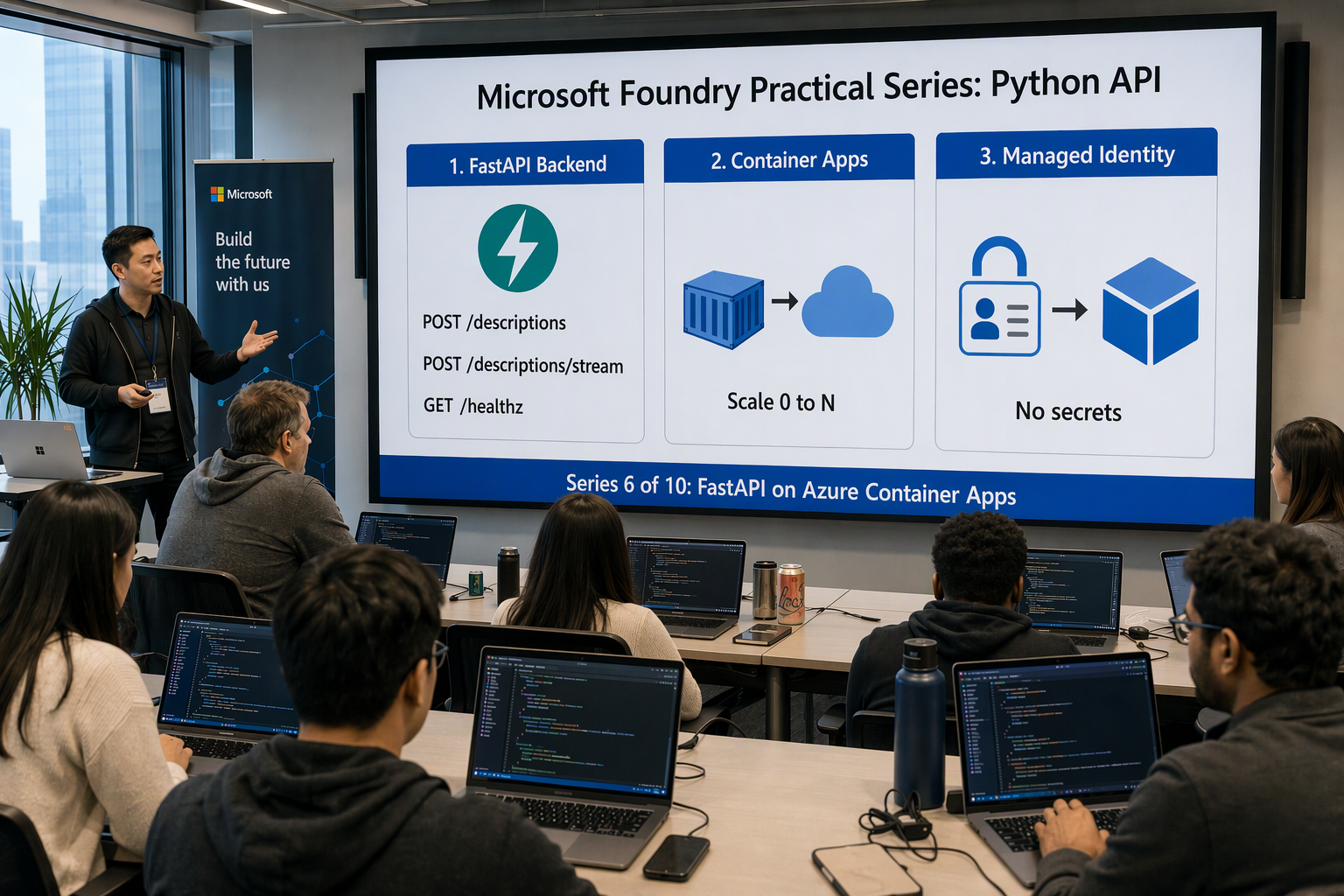
In this post we will:
- Pick a hosting option — Container Apps vs App Service vs AKS vs Functions
- Structure a FastAPI project — settings, models, prompts and a Foundry client module
- Use the async Foundry SDK — one client per process, created in the FastAPI lifespan and injected with dependencies
- Build the endpoints —
POST /descriptions(structured output),POST /descriptions/stream(Server-Sent Events) andGET /healthz - Handle failure properly — 429s, retries, timeouts and mapping upstream errors to sensible HTTP codes
- Containerise it — a slim, non-root Docker image
- Deploy with Bicep — Log Analytics, ACR, a user-assigned managed identity, role assignments and the Container App itself
All code samples from this series are available in this repository.
Architecture #
 1┌──────────────┐  HTTPS   ┌───────────────────────────────────────────────┐
 2│   Client     │────────► │  Container Apps environment                   │
 3│  (web, CMS,  │          │  ┌─────────────────────────────────────────┐  │
 4│   curl)      │ ◄─────── │  │ Container App foundry-demo-api (FastAPI)│  │
 5└──────────────┘  JSON /  │  │  identity: foundry-demo-api-id          │  │
 6                  SSE     │  └───────┬──────────────────────┬──────────┘  │
 7                          └──────────┼──────────────────────┼─────────────┘
 8                     image pull      │                      │ Entra ID token
 9                     (AcrPull)       ▼                      ▼ (Foundry User)
10                          ┌────────────────────┐  ┌───────────────────────────┐
11                          │ Azure Container    │  │ Microsoft Foundry         │
12                          │ Registry           │  │  Project: foundry-demo-…  │
13                          └────────────────────┘  │   └─ gpt-4.1-mini         │
14                                                  └───────────────────────────┘
15                          ┌────────────────────┐
16                          │ Log Analytics      │ ◄── console logs, system logs
17                          └────────────────────┘
One identity does two jobs: it pulls the image from ACR and it gets Entra ID tokens for Foundry. No registry passwords, no API keys, nothing to rotate.
Choosing where to host the API #
| Option | Scale to zero | Ops effort | Streaming (SSE) | Best for |
|---|---|---|---|---|
| Azure Container Apps | Yes | Low | Yes | Containerised APIs and microservices, event-driven scale |
| Azure App Service | No | Low | Yes | Classic web apps, teams already on App Service plans |
| Azure Kubernetes Service | With extra config | High | Yes | Platform teams running many services, full K8s control |
| Azure Functions | Yes | Low | Limited | Short event-driven jobs, queue/batch processing |
My pick for this series is Azure Container Apps:
- It’s just a container — the same image runs locally, in CI and in Azure (and on AKS later, if you outgrow it)
- Managed identity and ACR integration are first-class, so we keep the keyless story from Part 2
- HTTP-based autoscaling (KEDA under the hood) including scale to zero — ideal for bursty catalogue imports
- VNet integration when we need private access to Foundry
Project layout #
 1product-api/
 2├── app/
 3│   ├── __init__.py
 4│   ├── config.py           # pydantic-settings: env vars
 5│   ├── foundry.py          # async Foundry client + FastAPI lifespan
 6│   ├── main.py             # routes + error handlers
 7│   ├── models.py           # ProductRequest + ProductDescription (Part 5)
 8│   ├── prompts.py          # Prompt + load_prompt()
 9│   ├── rules.py            # check_business_rules (Part 5)
10│   └── prompts/product-description/  # system.md + examples.json (Part 5)
11├── infra/
12│   └── app.bicep
13├── Dockerfile
14├── requirements.txt
15└── .env                    # local only, never commit
requirements.txt #
1fastapi>=0.115
2uvicorn[standard]>=0.30
3pydantic-settings>=2.4
4azure-ai-projects>=2.0.0
5azure-identity>=1.23
6aiohttp>=3.10
aiohttp is required by the async Azure SDK clients (azure.identity.aio, azure.ai.projects.aio).
Configuration with pydantic-settings #
Everything that differs between laptop and cloud comes from environment variables. pydantic-settings validates them at startup, so a missing PROJECT_ENDPOINT fails fast instead of on the first request.
app/config.py #
 1from functools import lru_cache
 2
 3from pydantic_settings import BaseSettings, SettingsConfigDict
 4
 5
 6class Settings(BaseSettings):
 7    model_config = SettingsConfigDict(env_file=".env", extra="ignore")
 8
 9    project_endpoint: str
10    model_name: str = "gpt-4.1-mini"
11    azure_client_id: str | None = None  # user-assigned identity; None locally
12
13    request_timeout: float = 30.0  # seconds per attempt to Foundry
14    max_retries: int = 3  # SDK retries 408/409/429/5xx with backoff
15    max_concurrency: int = 20  # in-flight Foundry calls per replica
16
17
18@lru_cache
19def get_settings() -> Settings:
20    return Settings()
Locally you only set PROJECT_ENDPOINT and MODEL_NAME. In Azure, Bicep also injects AZURE_CLIENT_ID (the user-assigned identity).
Models and prompts #
The response model is the ProductDescription from Part 5, unchanged. The request model is new: it validates what clients send us before we spend a single token.
app/models.py #
 1from typing import Literal
 2
 3from pydantic import BaseModel, Field
 4
 5Locale = Literal["en-GB", "de-DE", "fr-FR", "nl-NL"]
 6
 7# SeoMetadata and ProductDescription: copied verbatim from Part 5's schema.py
 8
 9
10class ProductRequest(BaseModel):
11    sku: str = Field(min_length=1, max_length=50)
12    product_name: str = Field(min_length=1, max_length=200)
13    attributes: dict[str, str | int | float | bool | list[str]] = {}
14    locale: Locale = "en-GB"
ProductRequest is never sent to the model as a schema, so strict-mode limits don’t apply and min_length/max_length are fine. app/rules.py is check_business_rules from Part 5 with the import changed to app.models. The prompt files system.md and examples.json move over unchanged. A small loader reads them once, validates the few-shot examples and computes the same content-hash version as Part 5.
app/prompts.py #
 1import hashlib
 2import json
 3from dataclasses import dataclass
 4from pathlib import Path
 5
 6from app.models import ProductDescription
 7
 8PROMPTS_DIR = Path(__file__).parent / "prompts"
 9
10
11@dataclass(frozen=True)
12class Prompt:
13    instructions: str
14    examples: list[dict]
15    version: str
16
17
18def load_prompt(name: str = "product-description") -> Prompt:
19    folder = PROMPTS_DIR / name
20    instructions = (folder / "system.md").read_text(encoding="utf-8")
21    examples = json.loads((folder / "examples.json").read_text(encoding="utf-8"))
22    for example in examples:
23        ProductDescription.model_validate(example["output"])  # fail fast
24    version = hashlib.sha256(
25        (instructions + json.dumps(examples, sort_keys=True)).encode()
26    ).hexdigest()[:8]
27    return Prompt(instructions=instructions, examples=examples, version=version)
The async Foundry client #
FastAPI is async, so the Foundry calls must be async too. A synchronous openai.responses.create(...) inside an async def route blocks the event loop and your API serves one request at a time.
The rules:
- Use the async packages —
azure.identity.aioandazure.ai.projects.aio - Create the clients once per process in the FastAPI lifespan, not per request. That reuses HTTP connections and the cached Entra ID token
- Close them on shutdown
- Hand them to routes through dependencies, which makes them easy to replace in tests
app/foundry.py #
 1import asyncio
 2from collections.abc import AsyncIterator
 3from contextlib import asynccontextmanager
 4
 5from azure.ai.projects.aio import AIProjectClient
 6from azure.identity.aio import DefaultAzureCredential
 7from fastapi import FastAPI, Request
 8from openai import AsyncOpenAI
 9
10from app.config import get_settings
11from app.prompts import Prompt, load_prompt
12
13
14@asynccontextmanager
15async def lifespan(app: FastAPI) -> AsyncIterator[None]:
16    settings = get_settings()
17
18    # Locally: picks up `az login`. In Container Apps: the user-assigned
19    # managed identity selected by AZURE_CLIENT_ID.
20    credential = DefaultAzureCredential(
21        managed_identity_client_id=settings.azure_client_id
22    )
23    project = AIProjectClient(
24        endpoint=settings.project_endpoint,
25        credential=credential,
26    )
27    openai = project.get_openai_client(
28        timeout=settings.request_timeout,
29        max_retries=settings.max_retries,
30    )
31
32    app.state.openai = openai
33    app.state.prompt = load_prompt("product-description")
34    app.state.limiter = asyncio.Semaphore(settings.max_concurrency)
35
36    try:
37        yield
38    finally:
39        await openai.close()
40        await project.close()
41        await credential.close()
42
43
44def get_openai(request: Request) -> AsyncOpenAI:
45    return request.app.state.openai
46
47
48def get_prompt(request: Request) -> Prompt:
49    return request.app.state.prompt
50
51
52def get_limiter(request: Request) -> asyncio.Semaphore:
53    return request.app.state.limiter
A few details worth calling out:
- On the async
AIProjectClient,get_openai_client()is a regular (non-awaited) method that returns anAsyncOpenAIclient. Itsbase_urlpoints to<project endpoint>/openai/v1, and authentication is a bearer token provider for thehttps://ai.azure.com/.defaultscope. No keys involved. - Keyword arguments are passed through to the
AsyncOpenAIconstructor, sotimeoutandmax_retriesset the retry policy for every call. - The semaphore caps concurrent Foundry calls per replica. When a replica is saturated, extra requests wait instead of piling more load onto your TPM quota. We’ll match this number to the Container Apps scale rule later.
The endpoints #
app/main.py — routes #
 1import asyncio
 2import json
 3import logging
 4from contextlib import AsyncExitStack
 5from typing import Annotated
 6
 7import openai
 8from fastapi import Depends, FastAPI, HTTPException, Request
 9from fastapi.responses import JSONResponse, StreamingResponse
10from openai import AsyncOpenAI
11
12from app.config import Settings, get_settings
13from app.foundry import get_limiter, get_openai, get_prompt, lifespan
14from app.models import ProductDescription, ProductRequest
15from app.prompts import Prompt
16from app.rules import check_business_rules
17
18logger = logging.getLogger("uvicorn.error")
19
20app = FastAPI(title="Product Description API", version="1.0.0", lifespan=lifespan)
21
22OpenAIDep = Annotated[AsyncOpenAI, Depends(get_openai)]
23PromptDep = Annotated[Prompt, Depends(get_prompt)]
24LimiterDep = Annotated[asyncio.Semaphore, Depends(get_limiter)]
25SettingsDep = Annotated[Settings, Depends(get_settings)]
26
27
28def to_product(req: ProductRequest) -> dict:
29    return {"sku": req.sku, "name": req.product_name, **req.attributes}
30
31
32def user_msg(product: dict, locale: str) -> dict:
33    data = json.dumps(product, ensure_ascii=False)
34    return {"role": "user", "content": f"Target locale: {locale}\n<product>\n{data}\n</product>"}
35
36
37def build_input(prompt: Prompt, req: ProductRequest) -> list[dict]:
38    # Few-shot examples as prior user/assistant turns, as in Part 5
39    messages = []
40    for ex in prompt.examples:
41        messages.append(user_msg(ex["product"], ex["locale"]))
42        messages.append({"role": "assistant", "content": json.dumps(ex["output"], ensure_ascii=False)})
43    return messages + [user_msg(to_product(req), req.locale)]
44
45
46@app.get("/healthz")
47async def healthz() -> dict:
48    return {"status": "ok"}
49
50
51@app.post("/descriptions", response_model=ProductDescription)
52async def create_description(
53    req: ProductRequest,
54    client: OpenAIDep,
55    prompt: PromptDep,
56    limiter: LimiterDep,
57    settings: SettingsDep,
58) -> ProductDescription:
59    async with limiter:
60        response = await client.responses.parse(
61            model=settings.model_name,
62            instructions=prompt.instructions,
63            input=build_input(prompt, req),
64            text_format=ProductDescription,
65            metadata={"prompt_version": prompt.version, "sku": req.sku},
66        )
67
68    desc = response.output_parsed
69    if desc is None:
70        # Refusal or incomplete output (e.g. max_output_tokens reached)
71        raise HTTPException(status_code=502, detail="Model returned no parsable output")
72    if problems := check_business_rules(desc, to_product(req)):
73        logger.warning("Rule violations for %s: %s", req.sku, problems)
74        raise HTTPException(status_code=502, detail={"error": "Output failed business rules", "problems": problems})
75    return desc
responses.parse(..., text_format=ProductDescription) turns the Pydantic model into a strict JSON schema, sends it as the structured output format and returns output_parsed as a validated ProductDescription. FastAPI then uses the same model for the response schema, so your OpenAPI docs at /docs show exactly what the model returns. Valid JSON isn’t the same as publishable copy, so check_business_rules from Part 5 runs before we return anything. A violation is the model’s fault, not the caller’s, hence 502 rather than 422.
/healthz deliberately does not call Foundry. A liveness probe that depends on a downstream service restarts healthy containers whenever the model is throttled.
Streaming with Server-Sent Events #
Generating a full description takes a few seconds. For an interactive UI, streaming tokens as they arrive feels much faster. The Responses API streams natively, and Server-Sent Events is the simplest way to pass that on over plain HTTP.
 1def sse(event: str, data: dict) -> str:
 2    return f"event: {event}\ndata: {json.dumps(data)}\n\n"
 3
 4
 5@app.post("/descriptions/stream")
 6async def stream_description(
 7    req: ProductRequest,
 8    client: OpenAIDep,
 9    prompt: PromptDep,
10    limiter: LimiterDep,
11    settings: SettingsDep,
12) -> StreamingResponse:
13    stack = AsyncExitStack()
14    await stack.enter_async_context(limiter)
15    try:
16        # Open the upstream stream *before* returning, so 429s and auth
17        # errors still become proper HTTP status codes.
18        stream = await stack.enter_async_context(
19            client.responses.stream(
20                model=settings.model_name,
21                instructions=prompt.instructions,
22                input=build_input(prompt, req),
23                text_format=ProductDescription,
24                metadata={"prompt_version": prompt.version, "sku": req.sku},
25            )
26        )
27    except BaseException:
28        await stack.aclose()
29        raise
30
31    async def events():
32        try:
33            async for event in stream:
34                if event.type == "response.output_text.delta":
35                    yield sse("delta", {"text": event.delta})
36            final = await stream.get_final_response()
37            if final.output_parsed is None:
38                yield sse("error", {"detail": "Model returned no parsable output"})
39            elif problems := check_business_rules(final.output_parsed, to_product(req)):
40                yield sse("error", {"detail": "Output failed business rules", "problems": problems})
41            else:
42                yield sse("done", final.output_parsed.model_dump())
43        except openai.APIError as exc:
44            # Headers are already sent - report the failure in-band.
45            logger.warning("Stream failed: %s", exc)
46            yield sse("error", {"detail": "Upstream model error"})
47        finally:
48            await stack.aclose()
49
50    return StreamingResponse(
51        events(),
52        media_type="text/event-stream",
53        headers={"Cache-Control": "no-cache", "X-Accel-Buffering": "no"},
54    )
The client receives a series of delta events, followed by one done event (the validated object) or one error event. Three design decisions here:
- We open the upstream stream before returning the response. Once a
200 OKand the first byte are sent you can’t change the status code. Connecting to Foundry first means a 429 or 403 still reaches the client as a real 429 or 502. - Deltas are partial JSON because we stream a structured output. A UI can show them as a typing effect or use a partial-JSON parser. The
doneevent carries the validated object, which is the one to keep. - Errors mid-stream are sent in-band as an
errorevent, because by then the HTTP status is fixed.
Browsers’ built-in
EventSourceonly supportsGET. For aPOSTwith a JSON body, read the stream withfetch()andresponse.body.getReader(), or use a small SSE client library.
Error handling: 429s, retries and timeouts #
Your Foundry deployment has a tokens-per-minute (TPM) quota (see Part 2). Under load you will get 429 Too Many Requests. Let’s split the work into two layers.
Layer 1: retries inside the SDK. The openai client retries 408, 409, 429 and 5xx responses plus connection errors automatically, with exponential backoff. It honours the Retry-After header that Foundry sends with 429s. max_retries=3 and timeout=30 in get_openai_client() are all you need. Don’t stack tenacity on top, or retries multiply (3 × 3 = 9 attempts) and you make the throttling worse.
Layer 2: map what’s left to honest HTTP codes. When the retries run out, the client should get a status it can act on, not a generic 500:
 1@app.exception_handler(openai.RateLimitError)
 2async def rate_limited(request: Request, exc: openai.RateLimitError) -> JSONResponse:
 3    retry_after = exc.response.headers.get("retry-after", "10")
 4    return JSONResponse(
 5        status_code=429,
 6        content={"detail": "Model is busy, please retry later"},
 7        headers={"Retry-After": retry_after},
 8    )
 9
10
11@app.exception_handler(openai.APITimeoutError)
12async def upstream_timeout(request: Request, exc: openai.APITimeoutError) -> JSONResponse:
13    return JSONResponse(status_code=504, content={"detail": "Model request timed out"})
14
15
16@app.exception_handler(openai.APIConnectionError)
17async def upstream_unreachable(request: Request, exc: openai.APIConnectionError) -> JSONResponse:
18    logger.error("Cannot reach Foundry: %s", exc)
19    return JSONResponse(status_code=502, content={"detail": "Model endpoint unreachable"})
20
21
22@app.exception_handler(openai.APIStatusError)
23async def upstream_error(request: Request, exc: openai.APIStatusError) -> JSONResponse:
24    if exc.status_code == 400 and exc.code == "content_filter":
25        return JSONResponse(status_code=422, content={"detail": "Input rejected by content filter"})
26    if exc.status_code in (401, 403):
27        logger.error("Foundry auth failed - check role assignment: %s", exc.message)
28    else:
29        logger.error("Foundry returned %s: %s", exc.status_code, exc.message)
30    return JSONResponse(status_code=502, content={"detail": "Upstream model error"})
| Upstream condition (after retries) | Exception | Our API returns |
|---|---|---|
| Quota exhausted | RateLimitError | 429 + Retry-After |
Request took longer than timeout | APITimeoutError | 504 Gateway Timeout |
| DNS / network / private endpoint issue | APIConnectionError | 502 Bad Gateway |
| Prompt blocked by content filter | APIStatusError (400, content_filter) | 422 Unprocessable |
| Missing role assignment | APIStatusError (401/403) | 502 + error log |
| Refusal / incomplete output | output_parsed is None | 502 |
| Valid JSON, but breaks a business rule | check_business_rules | 502 + problems |
Starlette resolves handlers by exception class hierarchy, so RateLimitError and APITimeoutError hit their specific handlers before the generic ones.
Mind the timeout budget. Container Apps HTTP ingress has a 240-second request timeout. Keep (max_retries + 1) × request_timeout plus backoff comfortably below it, otherwise the ingress cuts the connection while your code is still retrying. 4 × 30 s leaves enough headroom.
We leave content filters and prompt shields at their defaults for now — Part 9 covers them properly.
Run it locally #
Your user needs the Foundry User role on the Foundry resource (Part 2 shows the Bicep for it). Then:
 1python -m venv .venv
 2source .venv/bin/activate
 3pip install -r requirements.txt
 4
 5az login
 6
 7cat > .env <<'EOF'
 8PROJECT_ENDPOINT=https://foundry-demo-ai.services.ai.azure.com/api/projects/foundry-demo-project
 9MODEL_NAME=gpt-4.1-mini
10EOF
11
12uvicorn app.main:app --reload --port 8000
DefaultAzureCredential falls through to your Azure CLI login. The same code will use the managed identity in Azure without changes. Try it:
 1curl -s -X POST localhost:8000/descriptions \
 2  -H "Content-Type: application/json" \
 3  -d '{
 4        "sku": "TB-PRO-2026",
 5        "product_name": "TrailBlazer Pro Hiking Boots",
 6        "attributes": {
 7          "material": "Full-grain leather + Gore-Tex lining",
 8          "sole": "Vibram Megagrip",
 9          "weight": "620 g per boot",
10          "waterproof": true
11        },
12        "locale": "en-GB"
13      }' | jq
 1{
 2  "sku": "TB-PRO-2026", "locale": "en-GB",
 3  "title": "TrailBlazer Pro Hiking Boots with Gore-Tex Lining",
 4  "tagline": "Dry feet and sure footing, from first step to summit.",
 5  "description": "Keep your feet dry in any weather with full-grain leather and a waterproof Gore-Tex lining. ...",
 6  "bullet_points": ["Stay dry on wet trails: waterproof Gore-Tex lining", "..."],
 7  "care_instructions": null,
 8  "seo": {"meta_title": "TrailBlazer Pro Hiking Boots | Gore-Tex & Vibram | Contoso", "...": "..."},
 9  "tags": ["hiking", "boots", "waterproof", "leather"],
10  "missing_information": ["available sizes", "ankle height"]
11}
Containerise it #
Dockerfile #
 1FROM python:3.13-slim
 2
 3ENV PYTHONDONTWRITEBYTECODE=1 \
 4    PYTHONUNBUFFERED=1 \
 5    PIP_NO_CACHE_DIR=1
 6
 7WORKDIR /srv
 8COPY requirements.txt .
 9RUN pip install -r requirements.txt
10
11COPY app/ app/
12
13RUN useradd --uid 10001 --no-create-home appuser
14USER 10001
15
16EXPOSE 8000
17CMD ["uvicorn", "app.main:app", "--host", "0.0.0.0", "--port", "8000", \
18     "--proxy-headers", "--forwarded-allow-ips", "*"]
- Slim base, no build tools. All dependencies ship as wheels
- Non-root user. Port 8000 needs no privileges, so there’s no reason to run as root
- Dependencies copied before code, so a code change doesn’t rebuild the pip layer
--proxy-headersbecause TLS terminates at the Container Apps ingress and the app seesX-Forwarded-*headers. Allowing all forwarded IPs is fine here because the container is only reachable through the ingress- One uvicorn worker per container. Scale out with replicas, not processes
Add a .dockerignore with .venv, .env and infra/ so secrets and local junk stay out of the build context.
Deploy with Bicep #
The template expects the Foundry resource and project from Parts 1–2 in the same resource group and adds everything around them.
infra/app.bicep #
  1targetScope = 'resourceGroup'
  2
  3param baseName string = 'foundry-demo'
  4
  5param location string = resourceGroup().location
  6
  7param foundryName string = '${baseName}-ai'
  8
  9param projectName string = '${baseName}-project'
 10
 11param modelName string = 'gpt-4.1-mini'
 12
 13param deployApp bool = false
 14
 15param imageTag string = 'v1'
 16
 17// Existing Foundry resource (Parts 1-2)
 18resource foundry 'Microsoft.CognitiveServices/accounts@2025-04-01-preview' existing = {
 19  name: foundryName
 20}
 21
 22// Log Analytics
 23resource logs 'Microsoft.OperationalInsights/workspaces@2023-09-01' = {
 24  name: '${baseName}-logs'
 25  location: location
 26  properties: {
 27    sku: { name: 'PerGB2018' }
 28    retentionInDays: 30
 29  }
 30}
 31
 32// Container registry (no admin user)
 33resource acr 'Microsoft.ContainerRegistry/registries@2023-07-01' = {
 34  name: replace('${baseName}acr${uniqueString(resourceGroup().id)}', '-', '')
 35  location: location
 36  sku: { name: 'Basic' }
 37  properties: { adminUserEnabled: false }
 38}
 39
 40// User-assigned managed identity
 41resource identity 'Microsoft.ManagedIdentity/userAssignedIdentities@2023-01-31' = {
 42  name: '${baseName}-api-id'
 43  location: location
 44}
 45
 46// Role assignments
 47var acrPullRoleId = '7f951dda-4ed3-4680-a7ca-43fe172d538d'
 48var foundryUserRoleId = '53ca6127-db72-4b80-b1b0-d745d6d5456d'
 49
 50resource acrPull 'Microsoft.Authorization/roleAssignments@2022-04-01' = {
 51  name: guid(acr.id, identity.id, acrPullRoleId)
 52  scope: acr
 53  properties: {
 54    roleDefinitionId: subscriptionResourceId('Microsoft.Authorization/roleDefinitions', acrPullRoleId)
 55    principalId: identity.properties.principalId
 56    principalType: 'ServicePrincipal'
 57  }
 58}
 59
 60resource foundryUser 'Microsoft.Authorization/roleAssignments@2022-04-01' = {
 61  name: guid(foundry.id, identity.id, foundryUserRoleId)
 62  scope: foundry
 63  properties: {
 64    roleDefinitionId: subscriptionResourceId('Microsoft.Authorization/roleDefinitions', foundryUserRoleId)
 65    principalId: identity.properties.principalId
 66    principalType: 'ServicePrincipal'
 67  }
 68}
 69
 70// Container Apps environment
 71resource env 'Microsoft.App/managedEnvironments@2025-01-01' = {
 72  name: '${baseName}-env'
 73  location: location
 74  properties: {
 75    appLogsConfiguration: {
 76      destination: 'log-analytics'
 77      logAnalyticsConfiguration: {
 78        customerId: logs.properties.customerId
 79        sharedKey: logs.listKeys().primarySharedKey
 80      }
 81    }
 82    workloadProfiles: [
 83      {
 84        name: 'Consumption'
 85        workloadProfileType: 'Consumption'
 86      }
 87    ]
 88  }
 89}
 90
 91// Container App
 92var projectEndpoint = 'https://${foundry.properties.customSubDomainName}.services.ai.azure.com/api/projects/${projectName}'
 93
 94resource api 'Microsoft.App/containerApps@2025-01-01' = if (deployApp) {
 95  name: '${baseName}-api'
 96  location: location
 97  identity: {
 98    type: 'UserAssigned'
 99    userAssignedIdentities: {
100      '${identity.id}': {}
101    }
102  }
103  properties: {
104    environmentId: env.id
105    workloadProfileName: 'Consumption'
106    configuration: {
107      activeRevisionsMode: 'Single'
108      ingress: {
109        external: true
110        targetPort: 8000
111        transport: 'auto'
112        allowInsecure: false
113      }
114      registries: [
115        {
116          server: acr.properties.loginServer
117          identity: identity.id
118        }
119      ]
120    }
121    template: {
122      containers: [
123        {
124          name: 'api'
125          image: '${acr.properties.loginServer}/product-api:${imageTag}'
126          resources: {
127            cpu: json('0.5')
128            memory: '1Gi'
129          }
130          env: [
131            { name: 'PROJECT_ENDPOINT', value: projectEndpoint }
132            { name: 'MODEL_NAME', value: modelName }
133            { name: 'AZURE_CLIENT_ID', value: identity.properties.clientId }
134            { name: 'AZURE_TOKEN_CREDENTIALS', value: 'ManagedIdentityCredential' }
135          ]
136          probes: [
137            {
138              type: 'Liveness'
139              httpGet: { path: '/healthz', port: 8000 }
140              periodSeconds: 30
141            }
142            {
143              type: 'Readiness'
144              httpGet: { path: '/healthz', port: 8000 }
145              periodSeconds: 10
146            }
147          ]
148        }
149      ]
150      scale: {
151        minReplicas: 0
152        maxReplicas: 5
153        rules: [
154          {
155            name: 'http-concurrency'
156            http: {
157              metadata: { concurrentRequests: '20' }
158            }
159          }
160        ]
161      }
162    }
163  }
164  dependsOn: [
165    acrPull
166    foundryUser
167  ]
168}
169
170// Outputs
171output acrName string = acr.name
172output apiUrl string = deployApp ? 'https://${api!.properties.configuration.ingress.fqdn}' : ''
What the template does and why #
| Resource / setting | Why |
|---|---|
| User-assigned identity | Exists before the app, so role assignments are ready before the first revision starts. It also survives app re-creation |
| AcrPull on the registry | Lets the app pull images with identity: identity.id. No admin user, no password secret |
| Foundry User on the Foundry resource | The data-plane role for calling models through the project endpoint (same GUID as in Part 2) |
AZURE_CLIENT_ID | Tells DefaultAzureCredential which managed identity to use when several are attached |
AZURE_TOKEN_CREDENTIALS | Limits DefaultAzureCredential to managed identity in the cloud: faster startup and no surprise fallbacks |
Probes on /healthz | Readiness keeps traffic away from a replica until the lifespan has finished |
HTTP scale rule concurrentRequests: 20 | Matches MAX_CONCURRENCY, so a new replica comes up roughly when the semaphore fills |
minReplicas: 0 | Scale to zero for dev. Use 1 in production to avoid cold starts |
Role naming: Foundry’s RBAC roles were recently renamed — Foundry User was previously Azure AI User. The role ID
53ca6127-db72-4b80-b1b0-d745d6d5456ddidn’t change, so reference roles by GUID in IaC. Don’t use Cognitive Services OpenAI User for Foundry projects. Microsoft’s Foundry RBAC guidance recommends against the Cognitive Services roles for Foundry scenarios.
Deploy #
The deployApp flag fixes the chicken-and-egg problem: the Container App needs an image, and the image needs a registry.
 1RG=rg-foundry-demo
 2
 3# 1. Foundation: logs, ACR, identity, role assignments, environment
 4az deployment group create \
 5  --resource-group $RG \
 6  --template-file infra/app.bicep \
 7  --name product-api
 8
 9ACR_NAME=$(az deployment group show \
10  --resource-group $RG \
11  --name product-api \
12  --query properties.outputs.acrName.value -o tsv)
13
14# 2. Build the image in the cloud — no local Docker needed
15az acr build \
16  --registry $ACR_NAME \
17  --image product-api:v1 \
18  .
19
20# 3. Deploy the Container App
21az deployment group create \
22  --resource-group $RG \
23  --template-file infra/app.bicep \
24  --name product-api \
25  --parameters deployApp=true imageTag=v1
26
27API_URL=$(az deployment group show \
28  --resource-group $RG \
29  --name product-api \
30  --query properties.outputs.apiUrl.value -o tsv)
31
32echo $API_URL
A side benefit of the two-step flow: the role assignments from step 1 have propagated by the time the app pulls its first image, which avoids the classic “first revision fails with unauthorized pull” race.
az acr builduses ACR Tasks. If your registry uses the newer RBAC Registry + ABAC Repository Permissions mode,AcrPullisn’t honoured. Assign Container Registry Repository Reader instead, and grant ACR Tasks access explicitly. In Part 10 the build moves to GitLab CI.
Test it in Azure #
 1# Health
 2curl -s $API_URL/healthz
 3
 4# Structured description
 5curl -s -X POST $API_URL/descriptions \
 6  -H "Content-Type: application/json" \
 7  -d '{
 8        "sku": "KB-MEC-2026",
 9        "product_name": "ProType Mechanical Keyboard",
10        "attributes": {
11          "switches": "Cherry MX Brown",
12          "connectivity": "USB-C",
13          "features": ["RGB backlighting", "Hot-swappable keys"]
14        },
15        "locale": "de-DE"
16      }' | jq
17
18# Streaming — -N disables curl's buffering
19curl -N -X POST $API_URL/descriptions/stream \
20  -H "Content-Type: application/json" \
21  -d '{"sku": "KB-MEC-2026", "product_name": "ProType Mechanical Keyboard", "attributes": {"switches": "Cherry MX Brown"}}'
If something fails, the console logs land in Log Analytics:
1az containerapp logs show \
2  --resource-group $RG \
3  --name foundry-demo-api \
4  --follow
The usual first-deploy errors:
| Symptom | Likely cause |
|---|---|
Revision stuck, image pull unauthorized | AcrPull not yet propagated, or registry in ABAC mode |
502 + “Foundry auth failed” in logs | Foundry User missing, or AZURE_CLIENT_ID doesn’t match the identity |
502 “Model endpoint unreachable” | Wrong PROJECT_ENDPOINT, or Foundry has public access disabled |
404 from Foundry | MODEL_NAME doesn’t match the deployment name |
Going private #
If you followed Part 2 and set publicNetworkAccess: 'Disabled' on Foundry, the public Container Apps environment above can’t reach it. You get APIConnectionError → 502. The fix is a VNet-integrated environment that resolves Foundry through its private endpoint:
 1resource env 'Microsoft.App/managedEnvironments@2025-01-01' = {
 2  name: '${baseName}-env'
 3  location: location
 4  properties: {
 5    vnetConfiguration: {
 6      infrastructureSubnetId: acaSubnetId // delegated to Microsoft.App/environments
 7      internal: false                     // true = no public ingress at all
 8    }
 9    workloadProfiles: [
10      {
11        name: 'Consumption'
12        workloadProfileType: 'Consumption'
13      }
14    ]
15    // appLogsConfiguration as before
16  }
17}
1┌──────────────────────────────────────────────────────────┐
2│  VNet                                                    │
3│  ┌────────────────────────┐   ┌───────────────────────┐  │
4│  │ aca-subnet             │   │ pe-subnet             │  │
5│  │ (Microsoft.App deleg.) │──►│ Foundry private       │──┼──► Foundry
6│  │  └─ foundry-demo-api   │   │ endpoint ('account')  │  │    (public access
7│  └────────────────────────┘   └───────────────────────┘  │     disabled)
8│  Private DNS: privatelink.services.ai.azure.com (+2)     │
9└──────────────────────────────────────────────────────────┘
Two gotchas:
- The project endpoint lives on
*.services.ai.azure.com. Part 2 only createdprivatelink.cognitiveservices.azure.com, so addprivatelink.services.ai.azure.com(andprivatelink.openai.azure.com) to the private endpoint’s DNS zone group, or the app resolves the public IP and gets blocked. See private endpoint DNS values. - Workload-profile environments need a dedicated subnet delegated to
Microsoft.App/environments. See Container Apps networking for current sizing requirements.
Clean up #
1az group delete --name rg-foundry-demo --yes --no-wait
Key takeaways #
- Container Apps is the sweet spot for an AI backend: plain containers, managed identity, HTTP autoscaling and scale to zero, without running Kubernetes yourself
- Use the async SDKs (
azure.identity.aio,azure.ai.projects.aio) and create the clients once in the FastAPI lifespan - One user-assigned identity, two roles: AcrPull on the registry, Foundry User on the Foundry resource. No keys, no registry passwords
- Let the SDK retry and you translate. Configure
max_retries/timeoutonce, then map leftover errors to429(+Retry-After),504and502 - Open the stream before you return it. That’s how SSE endpoints keep meaningful status codes, and mid-stream failures go out as
errorevents - Keep the timeout budget under the 240-second ingress limit, and keep
/healthzindependent of Foundry - Private Foundry needs a VNet-integrated environment plus the
privatelink.services.ai.azure.comDNS zone
What’s next? #
Our API writes nice copy, but only from the attributes the caller sends. In Part 7 we will ground it in real data: load the product catalogue into PostgreSQL, index it with Azure AI Search, and use RAG so descriptions are based on actual specs, reviews and inventory.
Full series outline #
Stay tuned!