In Part 1 we provisioned a Foundry resource and deployed GPT-4.1 mini. In Part 2 we hardened infrastructure with private endpoints and RBAC. In Part 3 we compared models across the catalog. Now it’s time to explore what you can actually build with those models — using the Foundry Agent Service, the Responses API, built-in tools, and memory.
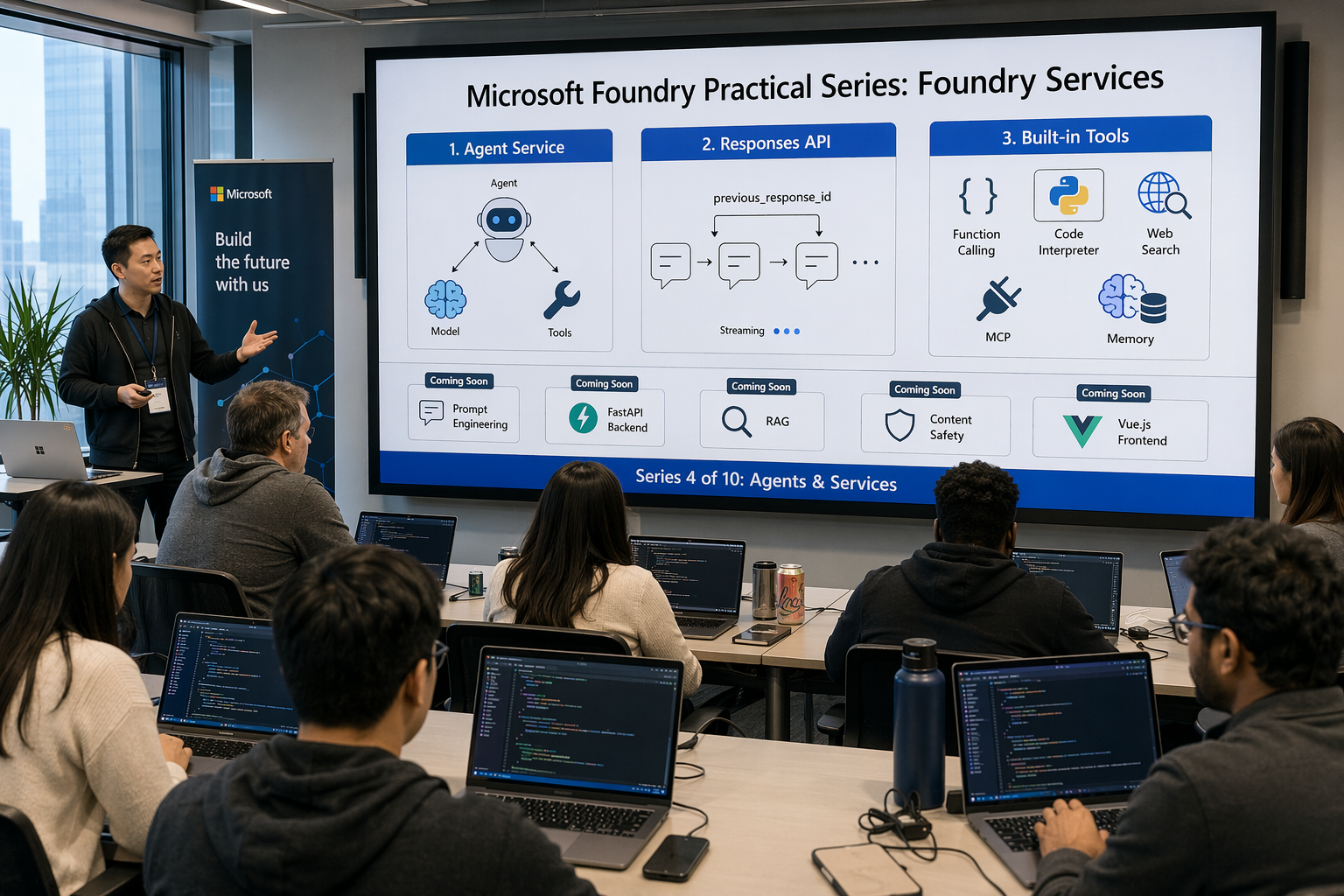
In this post we will:
- Understand the Foundry Agent Service — what it is and the two agent types
- Deep-dive into the Responses API — the single entry point for models and tools
- Explore built-in tools — function calling, Code Interpreter, file search, web search, MCP servers
- Add memory — persistent context across conversations
- Build a real-world example — an agentic product description generator that uses tools and memory
- Deploy the agent with Bicep — infrastructure for agent workloads
All code samples from this series are available in this repository (coming soon).
Foundry Agent Service at a glance #
Foundry Agent Service is the managed platform for building, deploying, and scaling AI agents. Instead of stitching together your own orchestration layer, you get a production-ready runtime with identity, tracing, and tools built in.
| Component | What it does |
|---|---|
| Responses API | Single entry point for models + platform tools (file search, code interpreter, memory, web search, MCP servers) |
| Agent Runtime | Hosts and scales agents. Manages conversations, tool calls, and lifecycle |
| Tools | Built-in: web search, file search, memory, code interpreter, MCP servers, custom functions |
| Models | Any model from the Foundry catalog — GPT-5, GPT-4.1, Llama, DeepSeek, etc. |
| Observability | End-to-end tracing, metrics, and Application Insights integration |
| Identity & Security | Microsoft Entra identity, RBAC, content filters, virtual network isolation |
Agent types #
Foundry offers two ways to build agents:
Prompt agents #
Prompt agents are defined entirely through configuration — instructions, model selection, and tools. Author them in the Foundry portal or programmatically with SDKs and REST. Foundry runs the agent for you — no application code to maintain, no compute to manage.
 1┌─────────────────────────────────────────────┐
 2│              Prompt Agent                   │
 3│                                             │
 4│  Instructions (prompt) ──► Model (GPT-5)    │
 5│         │                      │            │
 6│         └──── Tools ──────────┘             │
 7│         (file search, web search, etc.)     │
 8│                                             │
 9│  Runtime: Fully managed by Foundry          │
10└─────────────────────────────────────────────┘
Best for: getting started fast, internal tools, production agents that don’t need custom orchestration.
Hosted agents (preview) #
Hosted agents are code-based agents you build with Agent Framework, LangGraph, or the OpenAI Agents SDK. You ship your agent as a container — Foundry runs it with a managed endpoint, autoscaling, and a dedicated Entra identity.
Under the hood, hosted agents call the Responses API for model inference and tool orchestration, giving you access to the same tools as prompt agents.
Best for: custom orchestration logic, multi-agent systems, and workflows where you want full control over agent logic.
Choosing between agent types #
| Criteria | Prompt agents | Hosted agents (preview) |
|---|---|---|
| Runtime code to maintain | None | Yes — your agent logic |
| Compute to manage | None — fully managed | Container compute, Foundry-managed |
| Custom orchestration | No | Yes |
| Autoscale | Automatic | Automatic |
| Agent identity (Entra) | Yes | Yes — dedicated per agent |
| Cost model | Inference + tools | Inference + tools + compute |
The Responses API — your single entry point #
The Responses API is the unified interface that powers every agent type. It replaces the older Chat Completions and Assistants APIs with a single, stateful, multi-turn experience. Think of it as Chat Completions + Assistants merged into one.
Key capabilities #
| Feature | Description |
|---|---|
| Stateful conversations | Chain turns with previous_response_id — no manual context management |
| Built-in tools | Function calling, Code Interpreter, file search, web search, MCP servers |
| Memory | Persistent context across conversations (preview) |
| Streaming | Token-by-token output with stream=true |
| Background tasks | Long-running async processing with polling |
| Compaction | Reduce context size while preserving essential state |
| Guardrails | Built-in content filtering on input and output |
Basic usage #
A simple Responses API call in Python:
 1import os
 2from openai import OpenAI
 3
 4client = OpenAI(
 5    api_key=os.getenv("AZURE_OPENAI_API_KEY"),
 6    base_url="https://YOUR-RESOURCE.openai.azure.com/openai/v1/",
 7)
 8
 9response = client.responses.create(
10    model="gpt-4.1-mini",
11    input="Generate a short product description for a wireless mouse."
12)
13
14print(response.output_text)
Multi-turn conversations #
Chain responses together without manually managing context:
 1# First turn
 2first = client.responses.create(
 3    model="gpt-4.1-mini",
 4    input="I need help writing product descriptions for an e-commerce store."
 5)
 6
 7# Second turn — automatically carries forward context
 8second = client.responses.create(
 9    model="gpt-4.1-mini",
10    previous_response_id=first.id,
11    input="The first product is a noise-cancelling headphone. Price: $149."
12)
13
14print(second.output_text)
The previous_response_id field is the key — it tells the API to replay the full conversation history server-side, so you don’t need to pass the messages array yourself.
Streaming #
For real-time output in your UI:
1stream = client.responses.create(
2    model="gpt-4.1-mini",
3    input="Write a detailed product description for a mechanical keyboard.",
4    stream=True,
5)
6
7for event in stream:
8    if event.type == "response.output_text.delta":
9        print(event.delta, end="")
Built-in tools #
Tools are what separate an agent from a chatbot. The Responses API supports several built-in tools plus custom functions.
Function calling #
Define custom functions the model can invoke. You handle the execution; the model decides when to call them.
 1import json
 2
 3response = client.responses.create(
 4    model="gpt-4.1-mini",
 5    tools=[
 6        {
 7            "type": "function",
 8            "name": "get_product_inventory",
 9            "description": "Check inventory level for a product by SKU",
10            "parameters": {
11                "type": "object",
12                "properties": {
13                    "sku": {"type": "string", "description": "Product SKU"}
14                },
15                "required": ["sku"],
16            },
17        }
18    ],
19    input="What's the inventory level for SKU WM-2024-BLK?",
20)
21
22# Process function calls
23for item in response.output:
24    if item.type == "function_call":
25        args = json.loads(item.arguments)
26        # Call your actual inventory API
27        inventory = {"sku": args["sku"], "quantity": 142, "warehouse": "EU-West"}
28
29        # Return the result to the model
30        final = client.responses.create(
31            model="gpt-4.1-mini",
32            previous_response_id=response.id,
33            input=[{
34                "type": "function_call_output",
35                "call_id": item.call_id,
36                "output": json.dumps(inventory),
37            }],
38        )
39        print(final.output_text)
Code Interpreter #
Let the model write and run Python code in a sandboxed environment — useful for data analysis, math, and file processing:
1response = client.responses.create(
2    model="gpt-4.1-mini",
3    tools=[{"type": "code_interpreter", "container": {"type": "auto"}}],
4    instructions="You are a data analyst. Write and run Python code to answer questions.",
5    input="Calculate the compound annual growth rate if revenue grew from $1M to $2.5M over 4 years."
6)
7
8print(response.output_text)
Pricing note: Code Interpreter has additional charges beyond token fees. Each session is active for 1 hour with an idle timeout of 20 minutes.
Web search #
Let the model search the web for up-to-date information:
1response = client.responses.create(
2    model="gpt-4.1-mini",
3    tools=[{"type": "web_search_preview"}],
4    input="What are the top trending wireless mouse models in 2026?"
5)
6
7print(response.output_text)
Remote MCP servers #
Connect your agent to external tools hosted on Model Context Protocol (MCP) servers — including GitHub, Azure DevOps, or your own custom servers:
 1response = client.responses.create(
 2    model="gpt-4.1-mini",
 3    tools=[
 4        {
 5            "type": "mcp",
 6            "server_label": "github",
 7            "server_url": "https://gitmcp.io/erudinsky/microsoft-foundry-series",
 8            "require_approval": "never"
 9        }
10    ],
11    input="What files are in this repository?"
12)
13
14print(response.output_text)
For authenticated MCP servers, pass headers:
 1response = client.responses.create(
 2    model="gpt-4.1-mini",
 3    tools=[
 4        {
 5            "type": "mcp",
 6            "server_label": "internal-api",
 7            "server_url": "https://api.contoso.com/mcp",
 8            "headers": {"Authorization": f"Bearer {mcp_token}"},
 9            "require_approval": "never"
10        }
11    ],
12    input="List all active products."
13)
Tool comparison #
| Tool | What it does | Best for |
|---|---|---|
| Function calling | Model invokes your custom functions | Integrating with your APIs and databases |
| Code Interpreter | Model writes and runs Python in a sandbox | Data analysis, math, file processing |
| File search | Searches uploaded documents (RAG) | Q&A over documents, knowledge bases |
| Web search | Live internet search | Real-time information, current events |
| MCP servers | Connects to external tool servers | GitHub, Azure DevOps, custom integrations |
| Image generation | Generates images via gpt-image-1 | Creative content, product mockups |
Memory — persistent context across conversations #
Memory is a platform tool (preview) that gives agents persistent context across separate conversations. Instead of losing everything when a conversation ends, memory lets the agent remember user preferences, past decisions, and facts.
 1response = client.responses.create(
 2    model="gpt-4.1-mini",
 3    tools=[{"type": "memory"}],
 4    input="Remember that our brand voice is professional but friendly, and we always mention free shipping."
 5)
 6
 7# In a completely new conversation later...
 8response2 = client.responses.create(
 9    model="gpt-4.1-mini",
10    tools=[{"type": "memory"}],
11    input="Write a product description for a yoga mat."
12)
13
14# The agent recalls the brand voice preference from memory
15print(response2.output_text)
Memory is powerful for agents that interact with the same user or team over time — it learns preferences and adapts without being re-prompted every time.
Real-world example: agentic product description generator #
Let’s extend the product description generator from Part 1 into a proper agent that uses tools and multi-turn conversations. This agent:
- Checks inventory via function calling (to know if the product is in stock)
- Searches the web for competitor pricing and trends
- Remembers brand guidelines via memory
- Generates the description using all that context
 1import json
 2import os
 3from openai import OpenAI
 4
 5client = OpenAI(
 6    api_key=os.getenv("AZURE_OPENAI_API_KEY"),
 7    base_url=f"https://{os.getenv('FOUNDRY_RESOURCE')}.openai.azure.com/openai/v1/",
 8)
 9
10TOOLS = [
11    {
12        "type": "function",
13        "name": "get_product_details",
14        "description": "Retrieve product details from the catalog database",
15        "parameters": {
16            "type": "object",
17            "properties": {
18                "sku": {"type": "string", "description": "Product SKU identifier"}
19            },
20            "required": ["sku"],
21        },
22    },
23    {"type": "web_search_preview"},
24    {"type": "memory"},
25]
26
27INSTRUCTIONS = """You are a product description writer for an e-commerce store.
28
29When asked to write a description:
301. Use get_product_details to fetch product info from the catalog
312. Use web search to check competitor positioning and trending keywords
323. Check memory for brand voice guidelines and past preferences
334. Write a compelling, SEO-friendly product description
34
35Format: Title, subtitle, 3-4 bullet points, and a short paragraph."""
36
37
38def handle_function_call(item):
39    """Simulate a product catalog lookup."""
40    args = json.loads(item.arguments)
41    # In production, this calls your actual database
42    catalog = {
43        "KB-MEC-2026": {
44            "name": "ProType Mechanical Keyboard",
45            "price": 129.99,
46            "features": ["Cherry MX Brown switches", "RGB backlighting",
47                         "USB-C", "Hot-swappable keys"],
48            "category": "Peripherals",
49            "in_stock": True,
50            "stock_quantity": 284,
51        }
52    }
53    product = catalog.get(args["sku"], {"error": "Product not found"})
54    return json.dumps(product)
55
56
57def generate_description(sku: str) -> str:
58    """Run the agentic loop to generate a product description."""
59    response = client.responses.create(
60        model="gpt-4.1-mini",
61        tools=TOOLS,
62        instructions=INSTRUCTIONS,
63        input=f"Write a product description for SKU: {sku}",
64    )
65
66    # Handle tool calls in a loop
67    while any(item.type == "function_call" for item in response.output):
68        tool_outputs = []
69        for item in response.output:
70            if item.type == "function_call":
71                result = handle_function_call(item)
72                tool_outputs.append({
73                    "type": "function_call_output",
74                    "call_id": item.call_id,
75                    "output": result,
76                })
77
78        response = client.responses.create(
79            model="gpt-4.1-mini",
80            tools=TOOLS,
81            instructions=INSTRUCTIONS,
82            previous_response_id=response.id,
83            input=tool_outputs,
84        )
85
86    return response.output_text
87
88
89if __name__ == "__main__":
90    description = generate_description("KB-MEC-2026")
91    print(description)
What this demonstrates #
- Multi-tool orchestration — the model decides which tools to call and in what order
- Function calling loop — we keep processing until all function calls are resolved
- Stateful turns —
previous_response_idcarries the full context - Memory — brand guidelines persist across separate runs
This is a significant step up from the simple API call in Part 1. The model is now reasoning about what information it needs and fetching it autonomously.
Compaction — managing long conversations #
As conversations grow, token usage (and cost) increases. The Responses API offers compaction — reducing context while preserving essential state:
 1# After a long conversation, compact the context
 2compacted = client.responses.compact(
 3    model="gpt-4.1-mini",
 4    previous_response_id=response.id,
 5)
 6
 7# Continue with the compacted context
 8follow_up = client.responses.create(
 9    model="gpt-4.1-mini",
10    input=[*compacted.output, {"role": "user", "content": "Now write it in French."}],
11)
For automated compaction, use server-side compaction — set a token threshold and the API compacts automatically:
1response = client.responses.create(
2    model="gpt-4.1-mini",
3    input=conversation,
4    store=False,
5    context_management=[{"type": "compaction", "compact_threshold": 200000}],
6)
Deploying agent infrastructure with Bicep #
For agent workloads, you need the same Foundry resource we set up in Parts 1–2, but you may want a more capable model. Here’s a Bicep snippet to deploy GPT-4.1 (full) alongside GPT-4.1 mini for agent scenarios:
 1@description('Models for agent workloads')
 2param models array = [
 3  {
 4    name: 'gpt-4-1-mini'
 5    modelName: 'gpt-4.1-mini'
 6    modelVersion: '2025-04-14'
 7    capacity: 10
 8  }
 9  {
10    name: 'gpt-4-1'
11    modelName: 'gpt-4.1'
12    modelVersion: '2025-04-14'
13    capacity: 5
14  }
15]
16
17resource deployments 'Microsoft.CognitiveServices/accounts/deployments@2025-04-01-preview' = [
18  for model in models: {
19    parent: foundry
20    name: model.name
21    sku: {
22      name: 'GlobalStandard'
23      capacity: model.capacity
24    }
25    properties: {
26      model: {
27        format: 'OpenAI'
28        name: model.modelName
29        version: model.modelVersion
30      }
31    }
32  }
33]
Tip: Use GPT-4.1 mini for high-volume, simple tool calls (inventory checks, classification) and GPT-4.1 or GPT-5 for complex reasoning and multi-step agent tasks. This split optimises both cost and quality.
Responses API vs Chat Completions — when to use which #
| Feature | Responses API | Chat Completions |
|---|---|---|
| Stateful conversations | Built-in (previous_response_id) | Manual (pass full message array) |
| Built-in tools | Code Interpreter, file search, web search, MCP | Function calling only |
| Memory | Yes (preview) | No |
| Compaction | Yes | No |
| Background tasks | Yes | No |
| Streaming | Yes | Yes |
| Structured output (JSON) | Yes | Yes |
| Image generation | Yes (via tool) | No (separate API) |
| Production maturity | GA (most features) | GA |
Recommendation: For new projects, start with the Responses API. It’s the direction Microsoft is investing in, and it covers everything Chat Completions does — plus agent capabilities.
The Foundry tool catalog #
Beyond the built-in tools, Foundry provides a growing catalog of managed tool integrations:
| Tool | Type | Description |
|---|---|---|
| Azure DevOps MCP Server | MCP (preview) | Access work items, repos, pipelines from your agent |
| SharePoint | Platform tool | Search and retrieve documents from SharePoint |
| Azure AI Search | Platform tool | RAG over your own indexes |
| Azure Functions MCP | Custom MCP | Expose any Azure Function as an MCP tool |
| Toolbox | MCP (preview) | Define and version a curated set of tools centrally |
You can add these from the Add Tools catalog in the Foundry portal, or define them programmatically via the SDK.
Clean up #
1az group delete --name rg-foundry-demo --yes --no-wait
Key takeaways #
- Foundry Agent Service is a managed platform — pick between prompt agents (zero code) and hosted agents (full control)
- The Responses API is the single entry point for models + tools — use it for new projects
- Built-in tools (function calling, Code Interpreter, web search, MCP) turn chatbots into agents
- Memory enables persistent context across conversations
- Compaction keeps long conversations cost-effective
- Use the right model for the right tool call — GPT-4.1 mini for simple calls, GPT-4.1/GPT-5 for complex reasoning
What’s next? #
In Part 5 we will dive into prompt engineering and structured JSON output — crafting system prompts that produce consistent, schema-validated product descriptions.
Full series outline #
| # | Topic |
|---|---|
| 1 | Getting started — Provision with Bicep, deploy GPT, generate descriptions |
| 2 | Bicep deep dive — networking, RBAC, deployment types, region selection |
| 3 | Foundry model catalog — comparing GPT-4.1, GPT-5, open-weight models |
| 4 | Foundry services overview — agents, Responses API, tools, memory (this post) |
| 5 | Prompt engineering and structured JSON output for product descriptions |
| 6 | Building the Python API — FastAPI backend with Foundry SDK |
| 7 | Adding a database — product catalog with PostgreSQL and RAG via Azure AI Search |
| 8 | Content safety, guardrails and Responsible AI |
| 9 | Building the Vue.js frontend — a full-stack product description generator |
| 10 | CI/CD with GitLab, cost optimization and monitoring |
Stay tuned!